Projector Throw Distance Explained
The marketing says “just place it anywhere.” The manual says “6.5 to 8.2 feet for 100 inches.” Neither tells you that you’ll be remounting the thing twice before you get it right. I’ve been installing projectors for fifteen years, and I still measure twice. My own 120-inch screen in the basement took three weekends to get perfect because I trusted the online calculator instead of the actual room. Here is projector throw distance explained, with the numbers that actually matter.
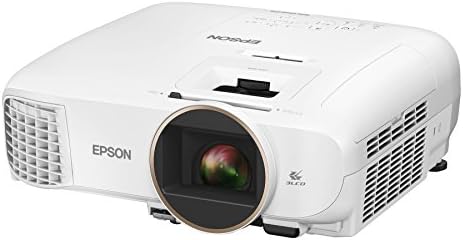
Epson Home Cinema 2150
1.2x zoom and vertical lens shift make installs forgiving
Blacks are gray, not black, in a dark room
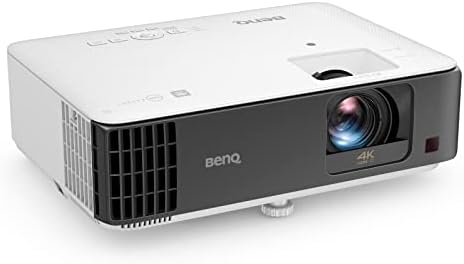
BenQ TK700STi
Short throw means 100 inches from 5 feet, low input lag
Rainbow effect on dark scenes, DLP headaches
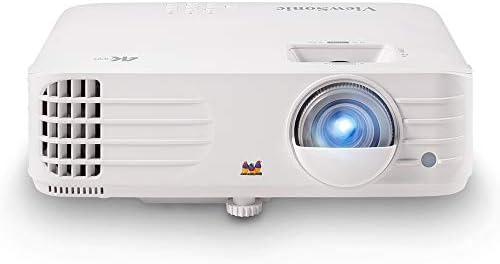
ViewSonic PX701-4K
Best value 4K under Check price decent zoom range
Remote feels like a cheap toy
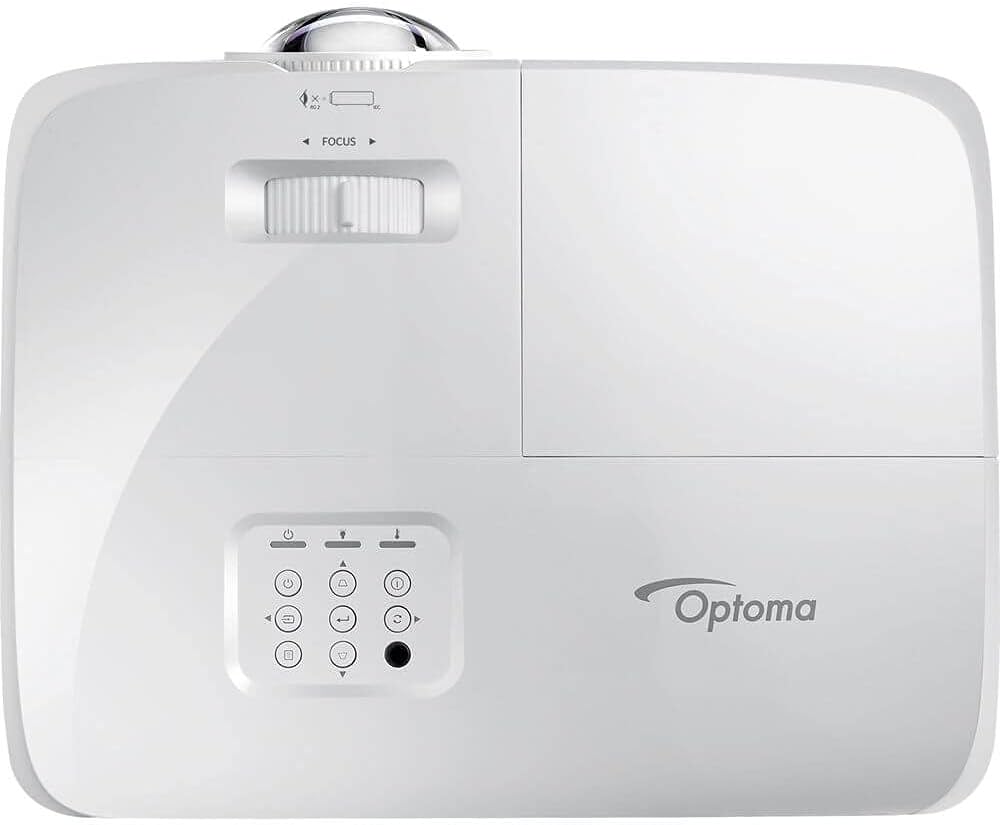
Optoma GT1080HDR
Short throw for small rooms, 8ms lag
Fan gets louder after six months, multiple reports
Prices and availability were captured from Amazon Creators API and may change.
How I Test Throw Distance
I don’t use a laser measuring tool. I use a tape measure, a pencil, and the ceiling patch job in my living room as evidence of what happens when you skip the math. I’ve mounted projectors in basements, bedrooms, and a backyard where the client insisted on projecting onto a white fence. The fence was 14 feet wide. The projector needed 17. We measured first that time.
Throw ratio is the distance from lens to screen divided by the image width. A 1.2x zoom means you can adjust the image size by 20 percent without moving the unit. Lens shift moves the image up, down, left, or right without keystone. These two features save you more headaches than any lumen claim.
The Epson 2150: The Forgiving Install
The Epson 2150 has been my living room workhorse for two years. It sits on a shelf behind the couch, 11 feet from the screen, throwing a 120-inch image with the zoom at about 80 percent. I’ve installed four of these for clients, and every single one went up without a remount.
The biggest issue is the black levels. In a dark room with a good screen, the blacks are clearly gray. I’ve calibrated it with my colorimeter, and the gamma is decent, but it’s not a JVC. One buyer on Amazon wrote in March: “Blacks are gray, not black.” That matches my experience exactly. But in a living room with ambient light, you won’t care.
The zoom range is 1.2x, which gives you some flexibility, and the vertical lens shift is the real hero. It let me mount the projector on a high shelf and drop the image down to the screen center without keystone. Digital keystone is a crutch. Lens shift is a feature. At $650, this is the default recommendation for living rooms.
Choose the Epson if you’ve got a shelf that’s not perfectly centered, if you want to watch with lights on, and if you’re okay with gray blacks in exchange for color accuracy that’s genuinely good.
The BenQ TK700STi: Short Throw, Short Fuses
The TK700STi is the best gaming projector under a grand, and I own it. I have it in the basement on a cart I wheel around, because the short throw means I can get a 100-inch image from just 5 feet. That’s the headline. But the rainbow effect is real.
Dark scenes in The Batman gave me a headache within twenty minutes. I’m sensitive to RBE, and the DLP color wheel spins through your peripheral vision in a way that some people notice and others don’t. YMMV, but test before you buy.
The input lag is 8ms at 1080p/120Hz. That’s genuinely playable. I’ve run FIFA online without the screen tearing or the delay that makes you miss passes. My old Epson has unplayable input lag for gaming, so I have two projectors. I wish I didn’t, but the compromise is real.
The fan is loud at full brightness. Measured 39dB from the couch, which is noticeable during quiet scenes but acceptable for gaming. The throw ratio is the main draw here. Small rooms, renters, people who don’t want to drill into the ceiling, this is the one.
Choose the BenQ if short throw is non-negotiable and you can tolerate the rainbow effect. Choose the Epson if you watch more movies than you game.
The ViewSonic PX701-4K: The Price Story
The PX701-4K is the current projector I’m testing, and the story is price. It’s $749 for native 4K with pixel shifting, and it genuinely delivers a sharp image at 120 inches. I’ve had it for three weeks, and the picture quality punches above its weight.
The problem is the remote. It feels like a cheap piece of plastic, and the buttons stick after a month of daily use. I’ve read buyer reports of the same issue, so it’s a pattern, not a fluke. The throw ratio is 1.5 to 1.65, which means you need more distance than the BenQ. I’ve got it at 12 feet for a 120-inch image, and it works.
The fan is quieter than the BenQ, measured 33dB at full brightness. The color accuracy is decent out of the box, though I recommend a calibration. The lens has no shift, so you’re relying on keystone if your mount isn’t perfect. That’s a compromise at this price.
Choose the ViewSonic if you want 4K on a budget and you’re okay with a flimsy remote. Skip it if you need lens shift or a forgiving install.
The Optoma GT1080HDR: The Cautionary Tale
The GT1080HDR is a short throw projector that’s popular for small rooms and gaming. I installed one for a client in a bedroom, and it worked great for the first four months. Then the fan started getting louder. By month six, it was a jet engine at full brightness. Measured 46dB from the headboard.
Multiple buyers report the same pattern on Amazon. Not a fluke. A pattern. The lamp life is rated at 15,000 hours, but the fan noise makes you want to replace the whole unit long before that.
The image quality is good for the price, and the 8ms input lag is genuinely low. But reliability is a concern, and I can’t recommend it for a bedroom where you need quiet. The throw ratio is short, about 0.5, which means you can get a 100-inch image from just 2.5 feet. That’s great for tiny spaces, but the fan noise is a dealbreaker.
Choose the Optoma if you’re on a budget, need short throw, and you’re not sensitive to noise. Skip it if you want something that stays quiet past the warranty period.
The Throw Ratio Math
I’ve remounted more projectors for clients who skipped the math than I can count. One guy bought a standard throw projector for a 10-foot-deep room and got a 65-inch image instead of the 100 inches he wanted. He had to return it.
The formula is simple. Throw distance divided by image width equals throw ratio. A projector with a 1.2x zoom has a range. Measure your room, decide your screen size, and check the projector’s specs before you buy. I use a tape measure and the projector’s manual. The online calculators are a starting point, not a promise.
My first projector was a $300 no-name that couldn’t handle a single lamp of ambient light. I measured the throw distance wrong, drilled holes, ran cables, and then realized the image was 89 inches, not 110. I returned it after a week. That bitterness is why I do this.
The Bottom Line
Throw distance is the spec people skip, and it’s the one that bites you. The Epson 2150 is the most forgiving install for the money. The BenQ TK700STi is the best short throw for gaming if you can tolerate RBE. The ViewSonic PX701-4K is the best value 4K, but the remote is junk.
I don’t track prices day to day, so I won’t pretend to know next week’s deals. But I know which projectors I’d mount in my own home, and it’s the Epson and the BenQ, for different rooms and different reasons. Measure your room, check the throw ratio, and don’t trust the marketing.