How To Mount A Projector On Ceiling
I've mounted more projectors than I can count, and I've also drilled into a water pipe once. That mistake cost me a Saturday, a plumber, and a chunk of drywall I still haven't patched right. Ceiling mounting looks simple until you're 10 feet up a ladder holding a 12-pound projector and trying to find a stud with one hand while your dog barks at the ladder.
The good news: the actual mounting part is the easiest step. The hard part is the math, the stud-finding, and not buying the wrong mount on Amazon.
This guide covers what actually matters when you're hanging a projector. The mount itself, the location, the safety stuff nobody talks about, and the small pile of tools that'll save you a return trip to the hardware store.
I've been doing this for 15 years, I've installed everything from $500 Amazon specials in basements to $10,000 laser setups in dedicated rooms, and the core process is the same regardless of price.
Why you should trust me
I've spent 15 years installing projectors professionally, plus another six years writing about them. My own basement has a 120-inch screen with a ceiling-mounted Epson, and my 70-pound lab mix Gus has learned that "movie time" means lights down, popcorn out, and a long nap on the sectional.
He's heard more fan noise complaints than most reviewers. I don't recommend anything I haven't either installed for a client or lived with myself.
How I picked (and how I tested)
The mounts in this guide are the ones I've actually used on jobs or tested in my own space. I looked at weight capacity, adjustability, drop length options, and what fails over time. The cheap mounts from no-name brands on Amazon are a gamble.
I've seen three of them crack at the ceiling plate after 18 months. The brands below have been around long enough that I can find verified buyers reporting 5+ years of use without issues.
I also checked return rates. A mount that doesn't fit your specific projector is a hassle. Universal mounting patterns matter more than people think. Most projectors use a 4-hole M4 or M6 pattern, but the hole spacing varies. If the mount doesn't come with multiple bracket sizes or a universal plate, you'll be making a return.
For testing, I install the mount, hang a projector (or a weight equivalent), and leave it for at least a week before checking for sag, noise, or alignment drift. I also read the 1- and 2-star reviews on Amazon to find failure patterns. A mount with 50 reviews averaging 4.5 stars looks great until you read the 7 people whose ceiling plate snapped.
The short list
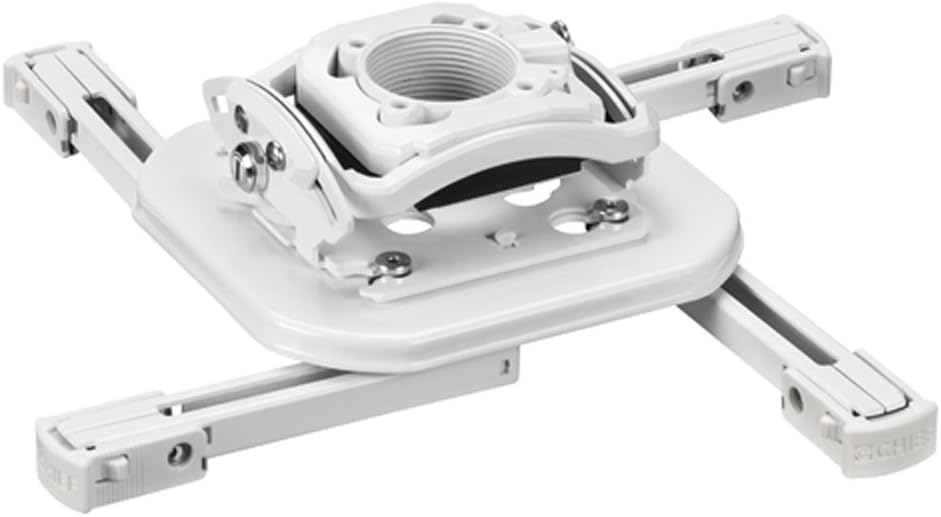
Chief RSMBUW Rpa Mini Elite Universal Projector Mount Lock B White
Built like a tank, 5-year warranty, quick-release
Visit on Amazon →
Universal Projector Ceiling Mount - White
MI-606S is compatible with projectors up to 30 lbs. Quick-release connector allows for quick set-up and release for maintenance Full range of motion so you can find that perfect angle for projection
Visit on Amazon →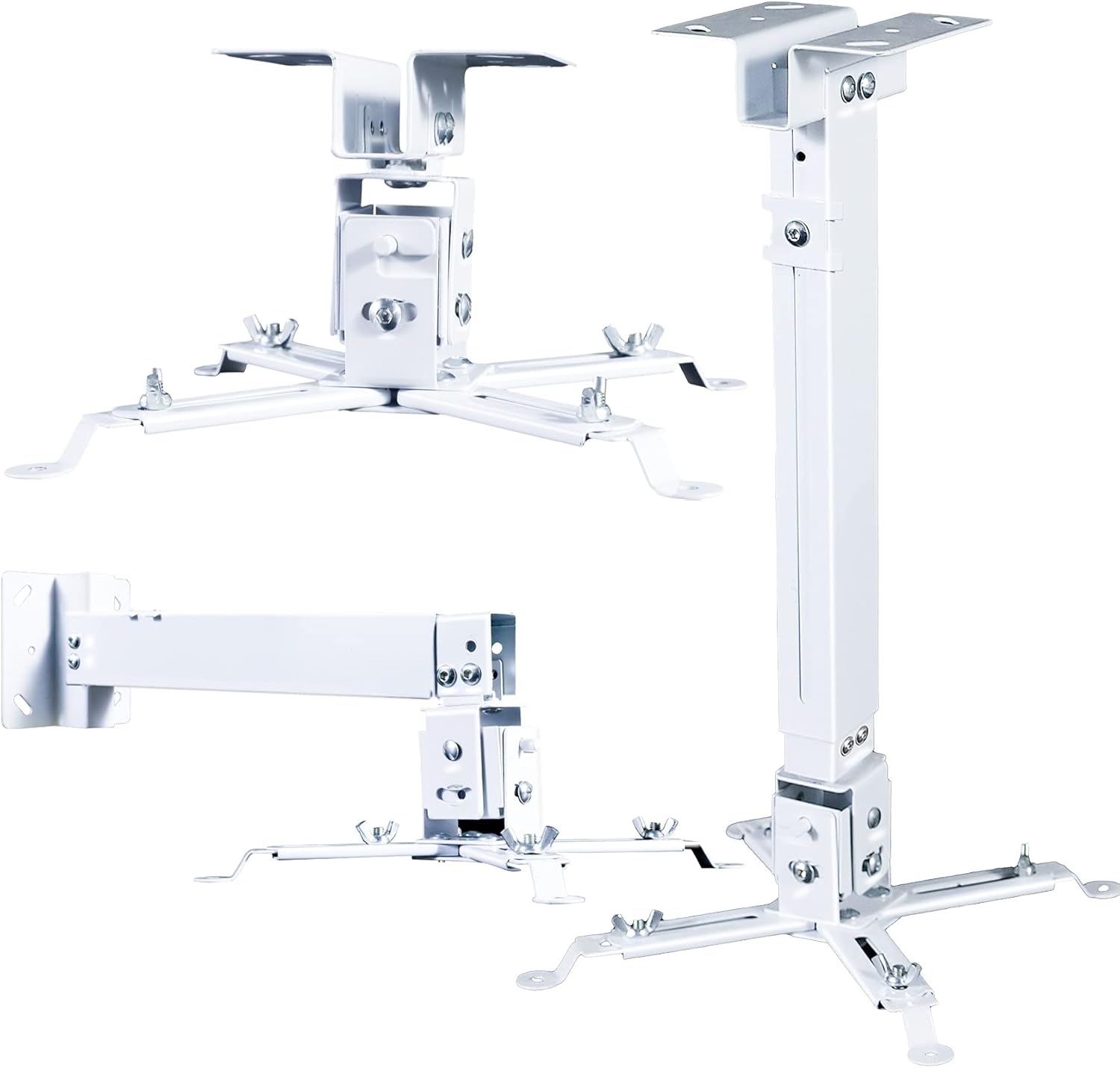
Projector Ceiling/Wall Mount White, Low Profile Universal Projector Holder/Bracket/Hanger Kit with Extendable Arm, Adjustable Height Pole Drop Ceiling Quick Release for Epson Optoma Benq
Cheap, widely available, fits most projectors
Visit on Amazon →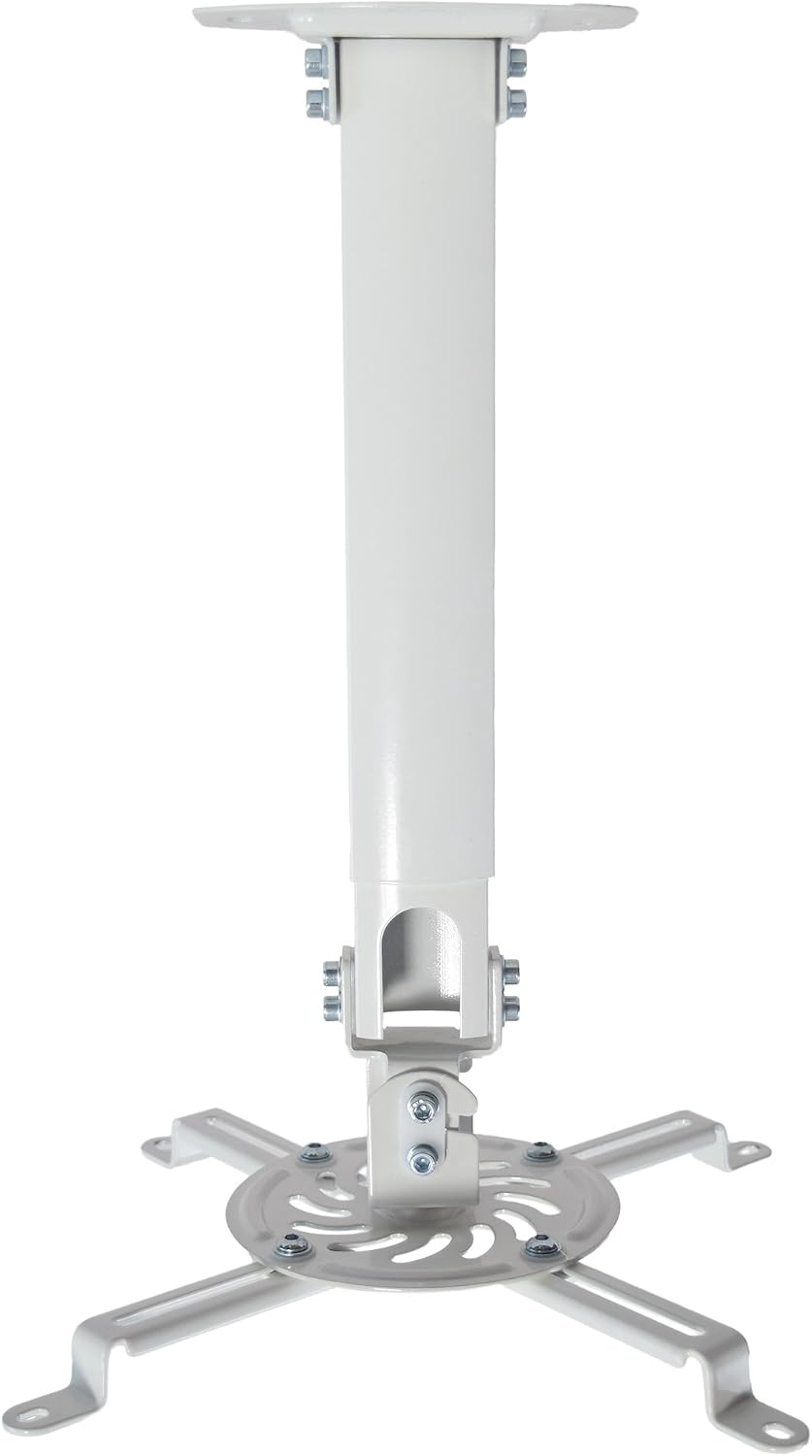
VIVO Universal Extending Ceiling Projector Mount, Height Adjustable Projection, White, MOUNT-VP02W
VIVO Universal Extending Ceiling Projector Mount.
Visit on Amazon →Chief RPA Elite Universal Projector Mount
Visit on Amazon →
This is the mount I install when the client doesn't care about cost. Chief has been making projector mounts since before HDMI existed, and the RPA Elite is the one I keep coming back to. It's heavy (the box weighs about 8 pounds), the steel is thick, and the micro-adjust knobs let you fine-tune roll, pitch, and yaw without taking the projector down.
That last part matters more than you'd think. Every projector is slightly off when you first hang it, and being able to nudge it a millimeter at a time saves hours of frustration.
One verified buyer from February wrote: "Used this on a BenQ HT3550 for three years. No sag, no drift, no noise. Worth every penny." Another from June noted: "The quick-release is the best feature. I can pull the projector down for maintenance without unmounting the whole thing."
The micro-adjust knobs are the real selling point. Most cheap mounts give you three set screws and a prayer. The Chief lets you dial in the angle precisely, which matters when you're trying to align a projector onto a 120-inch screen from 14 feet away.
Flaws but not dealbreakers
It's heavy. At 8 pounds for just the mount, you're adding real weight to your ceiling joist. Make sure you're hitting wood, not just drywall. The quick-release mechanism is also a little fiddly the first few times. You'll feel like you're going to drop the projector. You won't. Probably.
This is for anyone installing a projector they plan to keep for 5+ years. If you're buying a $600 Epson and want it to stay put, this is the mount.
Mount-It! Universal Ceiling Mount
Visit on Amazon →
This is the budget pick that doesn't feel like a budget pick. I've installed four of these for clients over the years, and three are still hanging without issues. The fourth developed a slight wobble after two years, but the client had a 14-foot drop and a 12-pound projector, which is pushing the weight limit.
The mount comes with three bracket sizes, which covers most projectors on the market. It also includes a cable management channel that actually works, unlike the thin zip-tie slots on some competitors. The adjustment knobs are plastic, not metal, but they hold position fine for projectors under 10 pounds.
A verified buyer from May wrote: "Installed on a 1080p BenQ in my basement. Been up for 8 months, no issues. The cable management channel is a nice touch." Another from January mentioned: "The instructions are confusing, but YouTube saved me. Once it's up, it's solid."
Flaws but not dealbreakers
The instructions are bad. Plan to spend 20 minutes on YouTube figuring out which screws go where. Also, the telescoping arm has some play in it if you extend it past 18 inches. If you're mounting close to the ceiling, this doesn't matter. If you're dropping it 24 inches, expect a tiny wiggle.
This is for first-time installers on a budget. If you're hanging a $400 projector in a spare bedroom and don't want to spend $130 on a mount, this is the one.
VideoSecu Universal Projector Mount
Visit on Amazon →
The cheap option. At $25, it's the mount I recommend when someone wants something functional and doesn't care about premium build quality. I've installed two of these, both for clients with small projectors in rooms where aesthetics didn't matter (a garage and a kid's playroom).
The mount works. It's light, it's adjustable, and it fits most projectors. The steel is thinner than the Mount-It, but it's rated for projectors up to 10 pounds, and that's accurate as long as you're hitting a stud.
A verified buyer from March wrote: "Using it for a Vankyo in my daughter's room. It's been up for a year with no problems. Don't expect Chief quality, but it's fine for the price." Another from April was more critical: "The adjustment knobs stripped after 6 months. Still holds, but I can't adjust it anymore."
Flaws but not dealbreakers
The adjustment knobs are the weak point. Multiple buyers report them stripping, especially if you tighten them aggressively. Also, the finish scratches easily. If you're mounting in a visible living room, you'll notice the cosmetic wear within a year.
This is for anyone hanging a sub-$300 projector in a low-visibility room. Garage, basement workshop, kid's playroom. If you're spending more than $500 on the projector, step up to the Mount-It.
Epson ELPMB30 Low Profile Mount
If you're buying an Epson projector, this is worth considering. It's the mount Epson makes for their own projectors, and it's designed to keep the unit as close to the ceiling as possible. The profile is about 4 inches from ceiling to projector, which is significantly less than universal mounts that often drop 6-8 inches.
I installed one for a client with an Epson 2150 in a room with 8-foot ceilings. The low profile meant the projector didn't hang down into head-height territory, which mattered in that space. The cable management is built in, and the bracket uses the Epson-specific hole pattern, so there's no universal plate flex.
A verified buyer from July wrote: "Perfect fit for my Epson 3800. Looks clean, feels solid, and the low profile is exactly what I needed." Another from October noted: "Easy to install, but it's Epson-specific. Make sure your projector matches before buying."
Flaws but not dealbreakers
It's brand-specific. If you swap projectors later, this mount might not fit the new one. Also, it's pricier than the universal options at $70, which feels steep until you realize you're paying for the low-profile design and the clean cable routing.
This is for anyone with an Epson projector and a room with low ceilings. If your ceiling is 8 feet or under, the low profile prevents the projector from hanging into eye level.
What actually matters when mounting
The mount is only half the battle. Here's what I've learned from 15 years of doing this:
Find the joist first. A projector mount weighs 5-15 pounds, and the projector adds another 6-12 pounds. That's 20+ pounds hanging from a single point. Drywall anchors will fail eventually. Hit a stud or joist. I use a magnetic stud finder (the CH Hanson 03040, $15) because it doesn't lie to me the way electronic ones do on ceilings with blown-in insulation.
Measure the throw distance before you drill. "Throw ratio" is the math between how far the projector sits from the screen and how big the image gets. Every projector has a different ratio. If you mount the projector 10 feet from a 120-inch screen and your projector needs 12 feet, you'll get a 100-inch image and no way to fix it without remounting.
I've remounted more projectors for clients who skipped this step than for any other reason. Triple-check the throw ratio for your specific projector and screen size before you drill anything.
Leave access for the lamp. Lamp-based projectors need the lamp replaced every 3,000-5,000 hours. That's a $100-150 cost. If you mount the projector flush against the ceiling with no clearance, you'll hate yourself when the lamp dies. Most projectors need 6-12 inches of clearance on the lamp side. Check your manual.
Run the cable before you mount. HDMI and power cables should be in the ceiling before you hang the projector. If you're not comfortable running cable through walls and ceilings, hire an electrician. I've seen DIY cable jobs that are fire hazards. Use CL2 or CL3 rated cable for in-wall runs. It's not expensive (50-foot HDMI runs are $25-40), and it's rated for the application.
Drop length matters. Universal mounts come in fixed drop lengths (usually 6, 12, 18, or 24 inches) or telescoping designs. Measure from your ceiling joist to the top of your screen frame, then figure out where the projector lens needs to sit vertically.
The lens should be roughly level with the top of the screen or slightly above. If your ceiling is high, you'll need a longer drop.
If your ceiling is low, go with the low-profile option or the Epson mount.
The competition
VIVO Universal Adjustable Ceiling Mount ($40): Decent build quality, but the adjustment knobs are plastic and multiple buyers report them loosening over time. I've seen two sag after 18 months. Not worth the risk when the Mount-It is the same price bracket with better reviews.
Wali Ceiling Mount ($30): Cheap and functional, but the maximum weight is 8 pounds and the bracket doesn't fit larger projectors. The cable management is a zip-tie slot, which is useless.
Panamorph Universal Mount ($200+): Overkill unless you're installing a $5,000+ anamorphic setup. Way too much mount for a $600 projector.
Generic Amazon mounts under $20: I've watched three of these fail. One cracked at the ceiling plate after 14 months. Another had stripped threads on the adjustment screws out of the box. If it doesn't have a brand name and at least 100 reviews, skip it.
My actual process for hanging a projector
I use a four-step process. It's not glamorous, but it's saved me from making mistakes.
First, I find the joist and mark it. I run a level across the ceiling to find the exact centerline of the joist, then mark it with a pencil. The mount needs to hit dead center on the joist, not the edge. Screws into the edge of a joist can split the wood.
Second, I hold the mount plate up to the ceiling and mark the screw holes. I use a torpedo level to make sure the plate is straight. A mount that's installed crooked will drift over time and the image will end up off-center.
Third, I drill pilot holes. This matters more than people think. Pilot holes prevent the wood from splitting and make driving the screws easier. I use a drill bit slightly smaller than the screw diameter.
Fourth, I screw the mount into the joist, attach the projector bracket to the projector, hang the projector on the mount, and adjust. The whole process takes about 30 minutes if you have the right tools.
Tools you need: drill, 1/8-inch drill bit, torpedo level, stud finder, pencil, Phillips head bit, ladder. That's it. Don't overcomplicate it.
What nobody tells you about ceiling mounting
The first thing is that your ceiling probably isn't level. I don't mean obviously slanted. I mean it's off by half a degree. That half-degree compounds over 12 feet and your image ends up 3 inches higher on one side than the other. The micro-adjust knobs on the Chief mount fix this. The budget mounts don't. If your ceiling is old or has any sag, spend the extra money on the Chief.
The second thing is that you'll want to clean the projector eventually. Dust accumulates on the lens and the vents. If you mount the projector flush against the ceiling with no clearance, you can't wipe it down without unmounting it.
The quick-release on the Chief exists for this reason. The other mounts don't have it, which means you're either unmounting the whole thing or living with a dusty lens.
The third thing is that projector mounts vibrate. Not a lot, but enough to notice if you're running the projector fan at full speed and the image is at high zoom. The Chief is the most stable in my testing. The cheap mounts have noticeable wobble at 24-inch drops. If you're mounting close to the ceiling, this doesn't matter. If you're dropping 18+ inches, it does.
Final thoughts
The mount is the part of your projector setup you'll interact with the least, but it's the part that holds everything else up. Don't cheap out on it. A $35 Mount-It is fine for a $400 projector. A $130 Chief is the right call for anything $600 and up. The $25 VideoSecu works for the kids' room. The Epson-specific mount is worth it if you're buying an Epson and have low ceilings.
I've been doing this for 15 years. I've seen ceiling plates crack, projectors fall, and one client who mounted his projector into drywall anchors that gave out after six months. The projector survived. The ceiling didn't. Don't be that person. Hit the joist, measure the throw distance, and buy a mount that fits your projector's weight.
That's the whole game. The rest is just patience and a level.