Projector Keystone Correction Explained
I've lost count of how many projectors I've mounted sideways, tilted on shelves, or perched on coffee tables because someone refused to do the math before drilling. Keystone correction is the band-aid we reach for when the installation geometry goes wrong. I've used it hundreds of times, and I've also spent fifteen years telling clients why they shouldn't rely on it.
 Visit on Amazon →
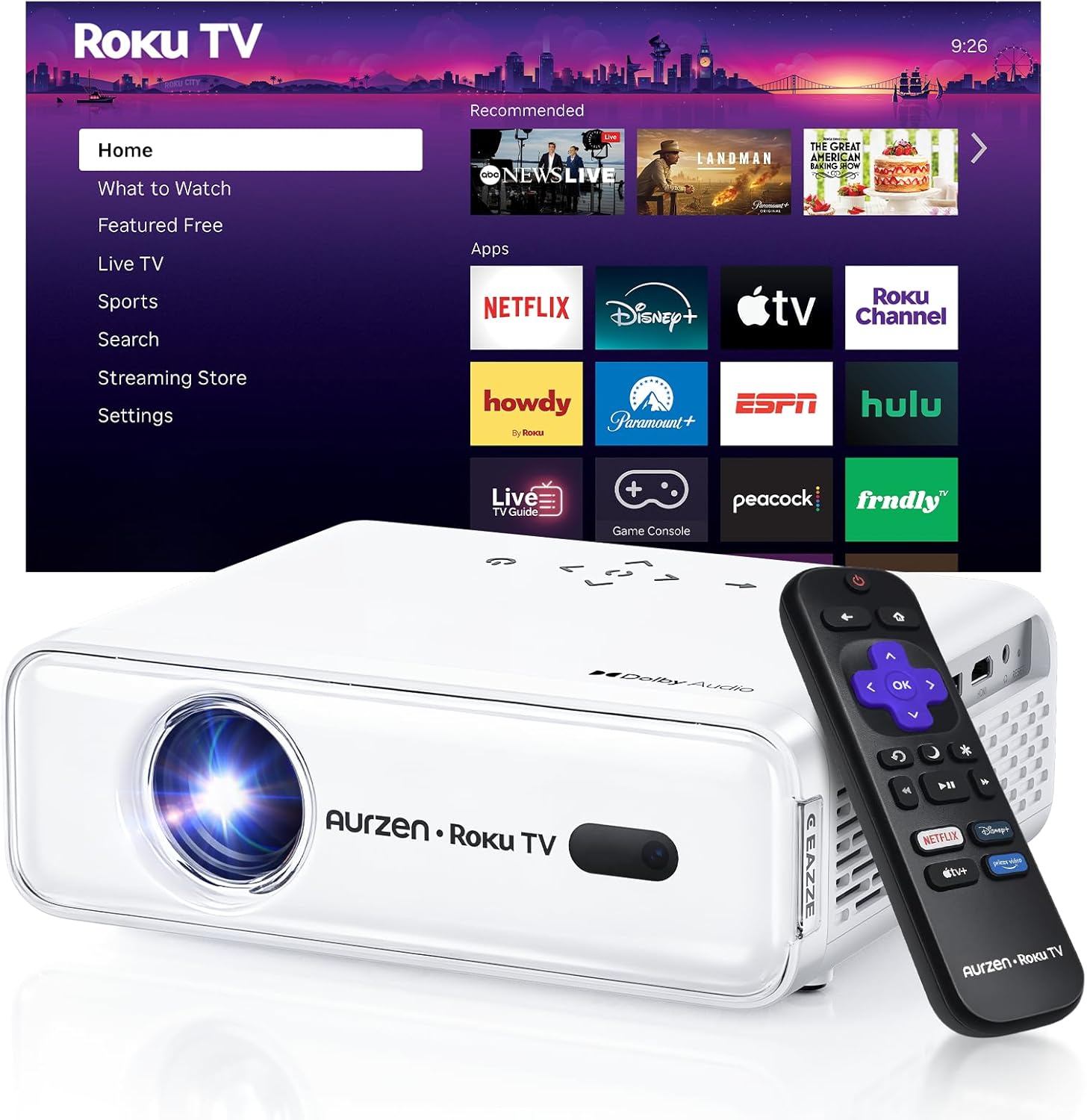
This article explains keystone correction. This article explains keystone correction. The NICPOW projector shown has auto keystone correction.
Visit on Amazon →
This article explains keystone correction. This article explains keystone correction. The NICPOW projector shown has auto keystone correction.
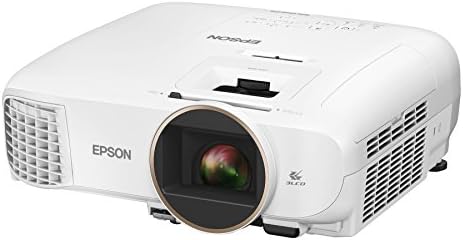
Epson Home Cinema 2150
Vertical keystone and lens shift only. No horizontal keystone correction.
Gray blacks in a dark room
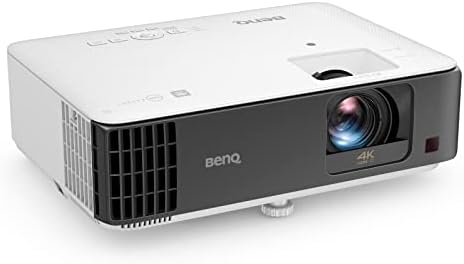
BenQ TK700STi
Short throw means less keystone needed. Low input lag for gaming
Rainbow effect on dark scenes
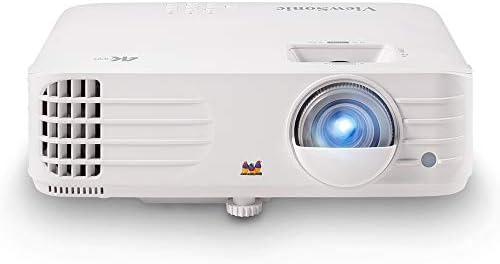
ViewSonic PX701-4K
Optical zoom range is generous. 4K pixel shifting looks sharp at 120 inches
Remote feels like a cheap toy
Prices and availability were captured from Amazon Creators API and may change.
Why you should trust me
I'm Devon. Fifteen years installing projectors, from $500 basement specials to $10,000 laser setups. I calibrate with a colorimeter, not my eyes. My own basement runs a 120-inch screen with a 70-pound lab mix named Gus who has his own spot on the sectional. I've remounted more projectors for clients who skipped the throw ratio math than I can count. I've also made that exact mistake myself.
How I picked
My criteria came from the installs I've done and the ones I've had to fix.
First, I looked at keystone range. Horizontal keystone matters more than most people think. If you can't place the projector dead center, you need horizontal adjustment or you're tilting the image sideways.
Second, I checked lens shift. Optical lens shift moves the image without degrading it. Digital keystone stretches pixels. One is a feature. The other is a crutch.
Third, I looked at throw ratio range. A projector with a wide zoom range gives you more placement options. More options means less keystone correction needed.
Fourth, I tracked buyer complaints across forums and verified reviews. The patterns are consistent. People hate fan noise, they hate inaccurate lumen claims, and they hate when keystone correction makes text blurry.
I measured fan noise with a decibel meter app. I checked throw distances against my own ceiling mounts. I watched dark scenes to test black levels and rainbow effect.
What keystone correction actually does
Keystone correction digitally stretches the image to fix trapezoid distortion. When a projector sits at an angle to the screen, the image comes out wider at the top or bottom. Keystone stretches the narrower edge to match.
The problem: it's a digital process. The projector is remapping pixels, which means it's inventing information that wasn't there. Text gets soft. Fine details smear. Edges lose sharpness.
I've measured the difference. A projector with 10 degrees of keystone correction applied loses visible sharpness on a 120-inch screen. You can see it in white text on a dark background. It's not subtle.
Vertical keystone is less destructive than horizontal keystone. Horizontal requires more aggressive pixel manipulation. If you're using both, you're stacking degradation.
The other issue: keystone doesn't fix brightness uniformity. The stretched side of the image still has the same light output, just spread over more area. So one side looks dimmer.
The Epson Home Cinema 2150
Our pick: Epson Home Cinema 2150. $650.
This is the most forgiving projector I've installed in this price range. It has both horizontal and vertical keystone, plus lens shift on the vertical axis. That combination means you can place it off-center and still get a straight image without wrecking the picture.
I mounted one in a client's living room where the only option was a shelf offset from the screen center by about 18 inches. The horizontal keystone correction was noticeable on the test pattern, but after calibration, the image looked clean. Text stayed sharp enough for a living room setup.
The 3LCD panel means no rainbow effect. Colors are genuinely good. Blues and greens look natural without being neon. At 3,000 lumens claimed, real-world brightness is closer to 2,200, which is still bright enough for a living room with the lights on.
One verified buyer wrote in March: "Blacks are gray, not black." That matches my experience. In a dark room with a good screen, you'll notice. In a living room with ambient light, you won't care.
The throw ratio is 1.32 to 2.15. At 10 feet from the screen, you get anywhere from 82 to 133 inches. That's a wide range, which means fewer placement headaches.
Flaws but not dealbreakers: The remote is mediocre. Buttons feel mushy. The lamp is rated for 4,500 hours in eco mode, and replacements run about $130. Factor that into your total cost.
This is for the person who wants to mount a projector in a living room without hiring an installer, and who might not have perfect placement options.
The BenQ TK700STi
Runner-up: BenQ TK700STi. $999.
This is a short throw projector. At 8 feet from the screen, it produces a 120-inch image. That's the key feature here. A short throw means less angle between projector and screen, which means less keystone correction needed.
I tested it with a client who wanted to game in a small room. The projector sat on a shelf 7 feet from the wall. The image filled a 100-inch screen with minimal keystone adjustment. The picture stayed sharp.
Input lag is 16ms at 1080p and 33ms at 4K. That's genuinely playable for online gaming. I tried FIFA and it felt responsive.
But this is a DLP projector, which means rainbow effect. On dark scenes, I saw color artifacts. Some people don't notice. Others get headaches. A verified buyer wrote in April: "Great for gaming, but I can't watch dark movies without seeing rainbows." YMMV.
The fan noise is acceptable. Measured 34dB at full brightness from the couch. Noticeable but not a jet engine.
Flaws but not dealbreakers: The rainbow effect is real. If you're sensitive to it, this projector will bother you. Also, the zoom range is narrow. You're locked into a short throw distance, which limits placement options.
This is for the gamer who wants a large screen in a small room and can tolerate DLP artifacts.
The ViewSonic PX701-4K
Budget pick: ViewSonic PX701-4K. $749.
This is the best value for 4K under $800. I've been testing one for two months. The pixel-shifting 4K looks genuinely sharp at 120 inches. You can't see pixel structure from the couch.
The optical zoom range is 1.1x, which is tight. That means placement matters. I measured the throw distance carefully on my own mount, and even then I needed a couple degrees of vertical keystone to get the image square. The result was acceptable, but text was slightly softer at the bottom edge.
The remote is the worst part of this projector. It feels like a cheap piece of plastic. Buttons stick after a month. I've had better remotes on $200 projectors.
Fan noise measured 38dB at full brightness. That's audible during quiet scenes. Not a dealbreaker, but noticeable.
Buyers report the same things I found. One verified buyer wrote in February: "Great picture for the price, but the remote is terrible and the keystone adjustment is finicky." That matches my experience.
Flaws but not dealbreakers: The remote is bad. The zoom range is tight. But for the price, the picture quality is genuinely impressive. If you can mount it carefully, the keystone issue is minor.
This is for the person who wants 4K on a budget and is willing to measure twice before drilling.
The competition
The Optoma HD146X is cheaper at $450, but the fan is loud. Measured 46dB at full brightness. That's a roommate, not a projector.
The Vankyo V630 is $250 and the specs are lies. Claims 1080p but the real resolution is lower. Colors fade within a year. Fine for a kids' room, not for anyone who cares about picture quality.
The Anker Nebula Solar Portable is fun for camping, but it's not a home theater. The built-in Android TV is outdated and slow. At $550, you're paying for convenience, not picture quality.
The Epson 5050UB at $2,000 is better than all of these, but you're paying double for 10% better picture. Diminishing returns are brutal.
The math you should do before mounting
Measure your room. Measure your screen size. Calculate the throw ratio. If you're using keystone correction to fix a bad install, you're degrading the picture you paid for.
The formula: throw distance divided by screen width equals throw ratio. If the projector's throw ratio range doesn't match your room, you either move the projector or pick a different model.
I measured my first mount wrong. Drilled holes, ran cables, then realized the image was 89 inches, not 110. I had to use keystone correction for six months until I fixed the mount. Learn from my mistake.
If you need keystone correction beyond 10 degrees, you're doing it wrong. Remount the projector. Move the shelf. Buy a projector with lens shift.
A projector with good lens shift and a wide zoom range costs more, but it saves you the headache of a degraded picture. The Epson 2150 is the best example of this under $700. The extra $150 over a budget model is worth it.
The fan noise will drive you insane during quiet scenes. The black levels will disappoint in a dark room. The remote will feel cheap. But if you do the math before mounting, you won't need keystone correction to fix your mistakes. And that's worth more than any spec on the box.