Related: Projector Screen Size Guide: How Big Should You Go?
I have hung projectors in basements with no windows and in living rooms where the afternoon sun wins every argument. Fifteen years of installs taught me the thing no spec sheet will tell you: the room decides more than the hardware does. That is the frame for this portable projector buying guide. I am not going to rank these machines by the biggest number on the box. I am going to tell you what each one is for, how far back it needs to sit, and how big a screen your wall can actually hold.
Three projectors are on the bench, plus one oddball tool. There is a bright-room portable with streaming built in, a small Google TV model made for bedrooms and rentals, and a triple-laser 4K unit that is the closest thing here to a real theater. The oddball is a pink scientific calculator, and by the end of this article you will understand why it belongs in a projector guide. It is the cheapest thing in the article and the one I reach for on every install.
What I check before I recommend anything
Four questions, in order.
What is the real brightness? ANSI lumens are the industry standard measurement. ISO lumens are a different measurement. Light source lumens are a third. You cannot line those numbers up side by side and pretend they are the same scale, so when a listing quotes a huge number with no standard attached, treat it as a promise rather than a fact.
Does the lens zoom and shift, or does the machine crop the picture digitally? Optical zoom and lens shift keep every pixel. Digital keystone and digital zoom throw pixels away and soften the image.
How loud is the fan at full power? A projector that sounds like a hair dryer is a projector you stop using in month two.
And the only question that really matters: would I sit through a two-hour movie on this thing in this room? If the answer is no, nothing else on the spec sheet saves it.
The bright-room portable: XuanPad 4K smart projector
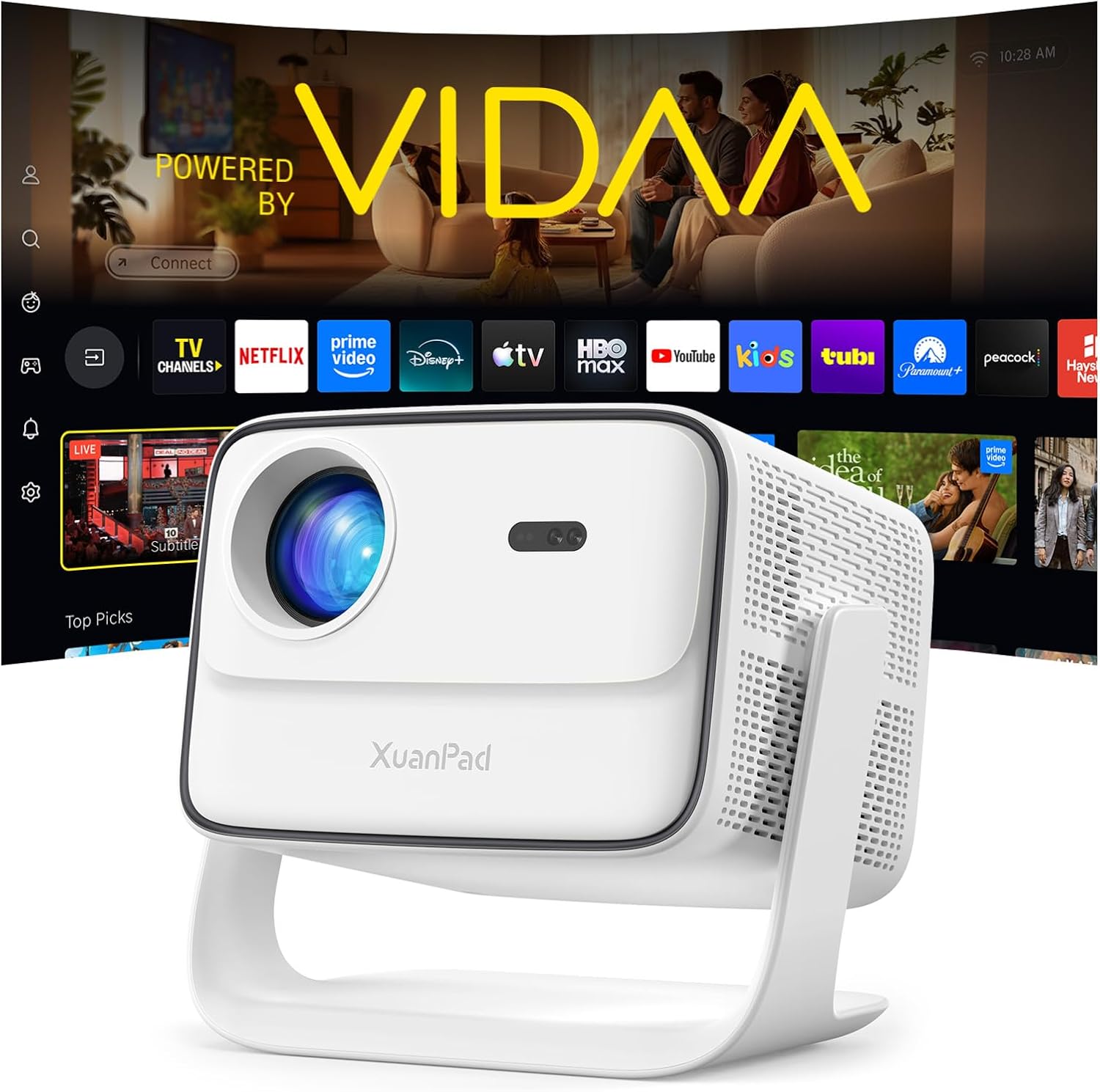
What the listing claims: a 6000 ANSI brightness figure, VIDAA Live TV with Netflix, WiFi and Bluetooth, AI voice control, a 42W Dolby audio system, auto focus, and auto keystone, in a white body designed to move from room to room or out to the yard.
Here is my honest read. A brightness claim that large on a portable should be treated as a claim, not a measurement, until you see it in a dark room. I do not trust numbers I cannot verify against a meter, and I would not buy this one expecting it to fight a wall of windows at two in the afternoon.
What the feature list does buy you is convenience. Built-in streaming means no laptop, no HDMI cable, no dongle. Auto focus and auto keystone mean you can set it on a table, move it, and let the projector sort out the geometry while you find the popcorn. Auto keystone always costs a little sharpness, because it is cropping the picture to make the corners square, so if you can level the machine physically and turn the auto correction down, do that.
For backyard movies after sunset, a spare bedroom, or a garage game night, this is the most self-contained option in the group.
The bedroom and travel pick: XGIMI Halo+
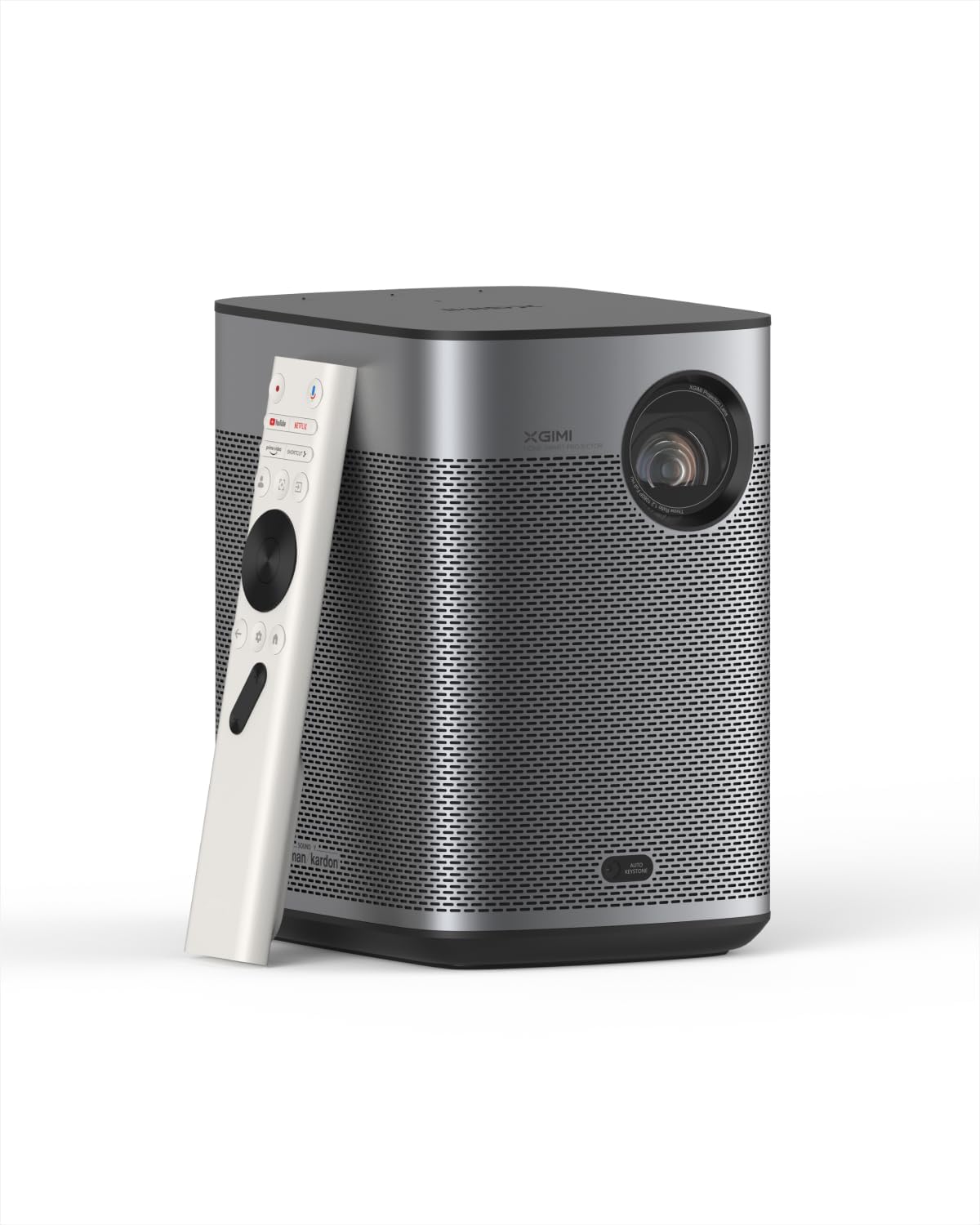
Google TV, licensed Netflix, a 700 ISO lumens rating, and a body small enough to move with one hand.
The two words that matter most here are "licensed Netflix." A huge number of cheap projectors ship with a browser shortcut dressed up as a Netflix app, and it breaks the moment Netflix changes something on its end. A licensed app on Google TV behaves like the Netflix on your television, updates included.
The 700 ISO lumens figure is worth understanding before you compare it to anything else in this article. ISO lumens and ANSI lumens are different measurements, so this number is not directly comparable to the ANSI figures quoted elsewhere. What I can tell you is what the category means in practice: a projector in this brightness class wants a dark room. Point it at a bedroom ceiling or a wall after the lights go down and it will look good. Point it at a bright living room at noon and you will be watching fog.
That trade is the whole point of a lifestyle projector. It goes on a shelf, it runs the real apps, it moves when you move, and it asks you to close the curtains. For a rental, a dorm, or a bedroom, that is a fair deal.
The one I would build a room around: Hisense M2 Pro
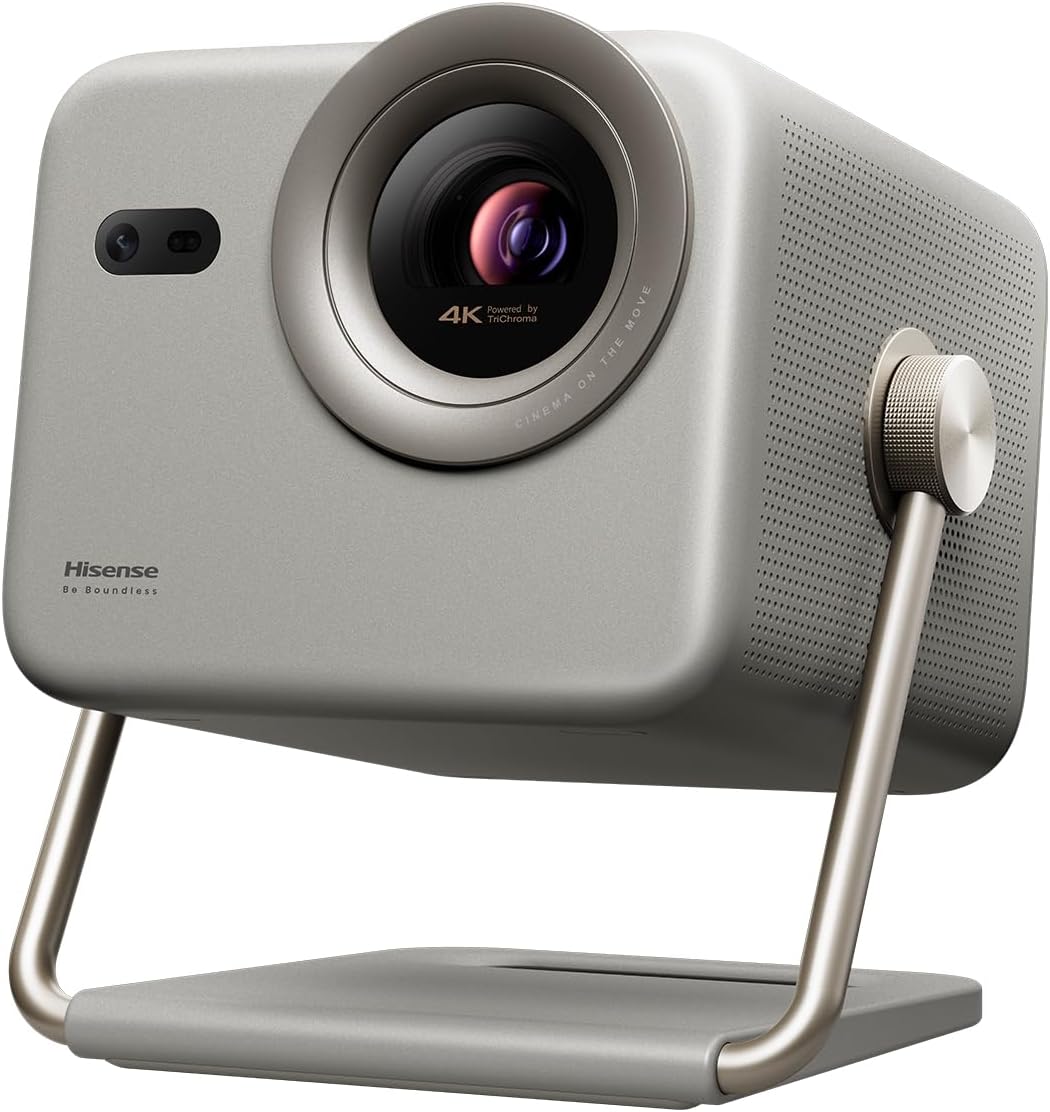
A triple laser light source, 4K UHD, a stated image range of 65 to 200 inches, 1,300 lumens, Dolby Vision, optical zoom, intelligent screen adjustments, Vidaa OS, and Netflix included.
This is the pick for someone who wants a theater rather than a gadget. The optical zoom is the feature I care about most, because it changes the size of the image by moving glass instead of cropping pixels. That is how a real install works. You mount the projector where the room allows, then you size the image with the lens.
The triple laser light engine means no lamp and no color wheel. Lamp hours stop being a budget line, and you stop thinking about a replacement bulb. Laser also holds its color and brightness better over the life of the machine, which is why installers push people toward it when the budget allows.
Dolby Vision on a projector is not the same experience as Dolby Vision on a good television, because a projector reflects light off a wall rather than emitting it, but it is a real advantage when the source material supports it. Vidaa OS with Netflix included means the streaming is handled without extra boxes stacked on a shelf.
The 65 to 200 inch range is the flexibility that makes this the pick for a room you actually care about. At the small end it works in a spare bedroom. At the large end it wants a dedicated space with light control and a screen.
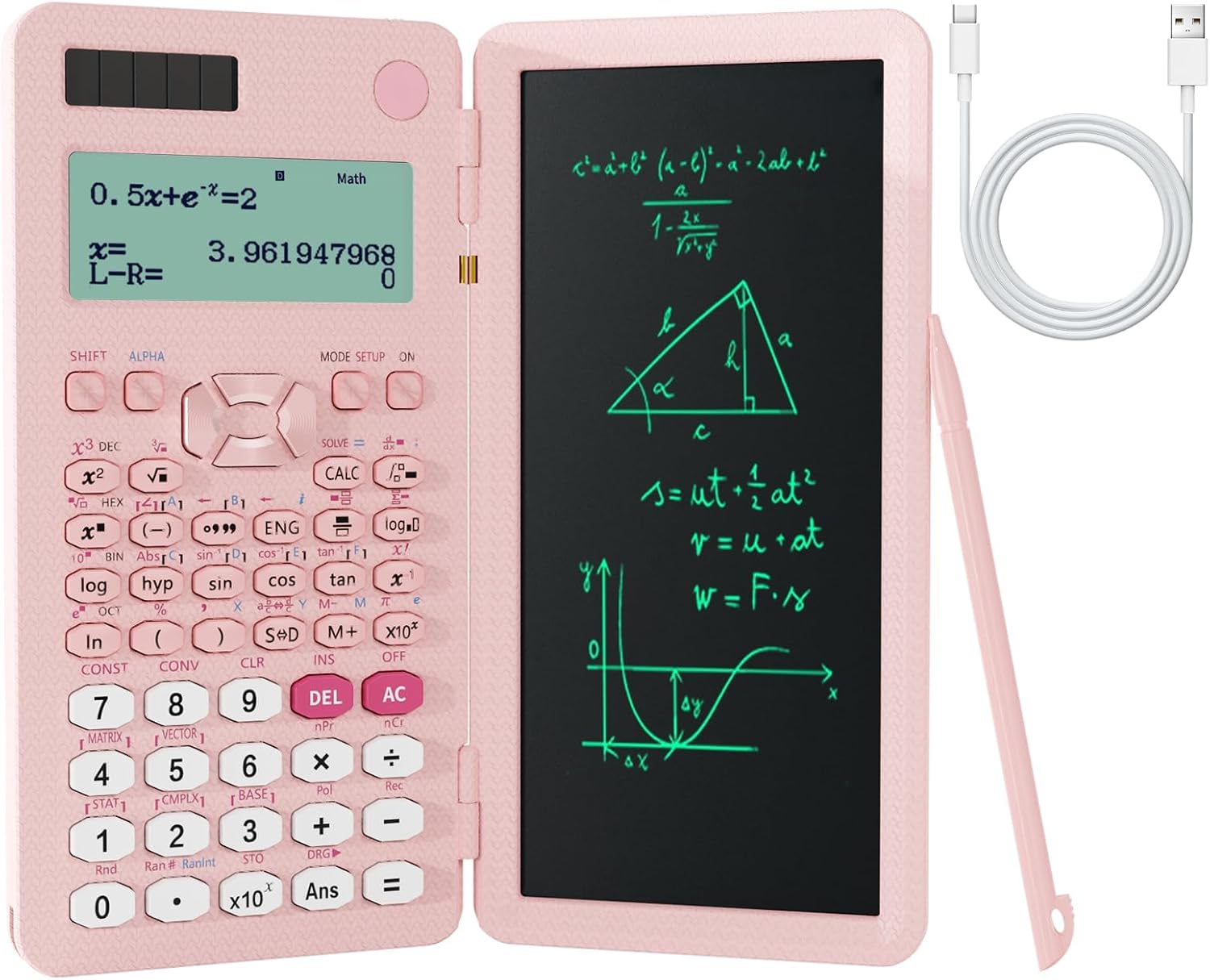
The tool that does the math: pink 991ES MAX scientific calculator
Foldable, solar, 417 functions, with a notepad built into the cover. Pink.
Every install starts with arithmetic, and phone calculators are terrible at it because you lose the formula the moment you look away. Throw ratio is the one that matters: a 1.2:1 projector needs 1.2 feet of distance for every foot of image width. Want a 100 inch 16:9 image? The image is 87.2 inches wide, so the projector sits about 8.7 feet from the wall at that ratio. Now check whether your couch is in the way.
Screen geometry is the other job. For a 16:9 screen, width is the diagonal multiplied by 0.8716, and height is the diagonal multiplied by 0.4903. If you are planning a 2.35:1 setup or working out how much of the wall a screen will eat, that is a two-minute calculation on a real calculator and a frustrating guessing game on a phone.
The notepad matters more than it sounds. Write down the throw distance, the zoom position, and the screen size once, and you never redo the math.
How I judge a projector setup
Every projector I evaluate gets the same treatment, and it has nothing to do with the marketing copy.
Brightness first. I want an ANSI figure or a real room test, not a peak number from a spec sheet. If a brand will not name the standard, assume the worst.
The lens second. A zoom ring and lens shift are the difference between a clean install and a projector balanced on a stack of books. Digital correction is a rescue tool, not a plan.
Fan noise third, at full power, from the seat where you will actually sit. A quiet projector at half brightness that screams at full brightness is a trap.
And then the movie test. I put on something I have seen ten times and see whether I stop noticing the projector. That is the only review that survives a month of ownership.
Two rules I will not bend. No brightness claim without an ANSI measurement or a real-room check. No 4K claim without knowing what the chip actually is. Pixel shifting is fine, by the way. It genuinely works. But there is a difference between a projector that resolves 4K and one that is dressed up to look like it does.
What the specs will not tell you
Contrast ratio numbers on a projector box are fiction. Real contrast is what your eyes see in your room, on your wall, with your curtains open or closed. A projector with a modest contrast figure in a controlled room will beat a high contrast machine in a room full of windows every time.
Built-in sound is the second lie of omission. A 42W audio claim tells you about the amplifier, not about whether dialogue is intelligible. Projectors put the speaker behind you or beside you, and the room does the rest. If you care about movies, plan for a soundbar or a receiver.
Streaming is the third. The operating system matters more than people expect. Licensed apps get updates. Sideloaded apps get abandoned. If you are buying a projector as your only screen, buy one with a real platform.
And the last thing: light control is free, and it beats every upgrade you can buy. Curtains, a darker paint color on the screen wall, and a lamp you can turn off will do more for your picture than any spec on this page.
The projector setup reference chart
Throw ratio is the number that keeps you out of trouble. A 1.2:1 projector needs 1.2 feet of distance per foot of image width. Measure the room first, then pick the screen size. The seating distances below are starting points for an immersive picture, not rules.
| Screen size (16:9) | Image width | Distance at 1.2:1 | Notes |
|---|---|---|---|
 Visit on Amazon → Throw distance math |
Width times the throw ratio | Any ratio | The formula works in feet or meters. Just stay consistent. |
| 80" | 69.7" | About 7.0 ft | Bedroom, dorm, or a shared wall. Sit 7 to 9 ft back. |
| 100" | 87.2" | About 8.7 ft | The living room default. Sit 9 to 11 ft back. |
| 120" | 104.6" | About 10.5 ft | Where light control starts to matter. Sit 10 to 13 ft back. |
| 150" | 130.8" | About 13.1 ft | Dedicated room territory. Sit 13 to 16 ft back. |
| 200" | 174.4" | About 17.4 ft | The stated ceiling of the Hisense M2 Pro. Sit 17 to 22 ft back. |
Two notes on using this. First, throw ratio numbers assume the projector is square to the wall. If you are angling it, you are correcting with keystone, and you are losing pixels. Second, seating distance is personal. Some people want the front row of the theater, some want the back. Sit where you like, then move one row forward if you want more immersion.
Should you buy the Hisense M2 Pro?
Yes, if you want the closest thing in this group to a real theater. Triple laser means no lamp to replace, optical zoom means the install is clean, 4K UHD and Dolby Vision mean the source material has somewhere to go, and the 65 to 200 inch range means the projector can grow with the room. Vidaa OS with Netflix included handles the streaming. The one honest caveat: 1,300 lumens is not a bright-room number, and this projector is at its best in a room where you control the light.
Should you buy the XGIMI Halo+?
Yes, if your viewing happens after dark and you want a small box that runs real apps. Google TV with licensed Netflix is the reason to pick this over a no-name portable, and the small footprint means it actually gets used instead of living in a closet. Just do not compare its ISO lumens figure to ANSI numbers and expect a straight answer. In a dark bedroom it is a pleasure. In daylight it is a compromise.
Should you buy the XuanPad 4K smart projector?
Yes, if you want one box for backyard movies and casual rooms. Built-in streaming, a voice remote, auto focus, auto keystone, and a claimed 42W audio system mean you can carry it outside and be watching in five minutes. Treat the brightness claim as a claim, plan your movie nights for after sunset, and this is an easy recommendation. If you need a projector that survives a sunny living room at noon, no portable at any price is the right answer.