Most people learn how to choose a projector by starting at the spec sheet. That is backwards. I have spent 15 years hanging projectors around Raleigh, from bargain units in basements to laser rigs in dedicated rooms, and the room decides more of the outcome than the projector does. A premium projector in a room with white walls and a wall of west-facing glass loses to a mid-range projector in a dark room with a gray screen. Every single time.
So this runs in the order I actually work: room first, screen second, projector third. Follow that sequence and you will spend less money and end up with a picture you keep watching instead of one you apologize for.
Start with the room, not the projector
Answer four questions before you open a single product page.
How much light hits the screen while you watch? Midday football with the blinds up is a different sport than a 9 pm movie. If your honest answer is "a lot, all day," then part of your budget belongs to light control before it belongs to the projector: blackout curtains, a gray or ambient light rejecting screen, and dark paint on the wall behind the screen. Brightness is the only spec that matters when you cannot control the room, and room control is cheaper than lumens.
How far will you sit? A 100-inch screen works from roughly 8 to 12 feet for most people. Sit closer than that and you will see pixel structure on a 1080p projector and the fan will be audible. Sit much farther and you are paying for screen size you cannot resolve.
What color are the walls and ceiling? Light walls bounce light back onto the screen and gray out your blacks. You do not need a blacked-out cave, but a dark matte wall behind the screen is worth more than the next tier of projector.
Can you get power and a signal where the projector goes? Outlet, HDMI path, and a place to set the unit that is not the coffee table in the middle of the room. If the answer is no, your first purchase is a mount or a shelf, not a projector.
The specs that actually decide a purchase
ANSI lumens, not "lumens." ANSI lumens are a measured standard. Anything quoted without ANSI is marketing. As a working floor: if you cannot control the light, do not shop under 2,000 ANSI lumens, because you will be watching a fog. If you can black out the room, a lower number will look far better than the same projector in a bright one.
Throw ratio. This is how far the projector sits from the screen. A 1.2 throw ratio means 1.2 feet of distance for every foot of image width. A short throw sits close to the wall, which is how people fit big images in small rooms. Measure your room before you buy, because no menu setting fixes a projector that has to live in the middle of the floor.
Optical zoom and lens shift versus digital keystone. Optical adjustment moves the lens and keeps every pixel. Digital keystone shrinks the image into a trapezoid, throws away resolution, and usually leaves a light border around the picture. Buy the optical adjustment if you can, and treat auto keystone as a convenience, not a plan.
Light source. Lamps are cheap to buy and expensive to own, with lamp hours often around 4,000 before a replacement. LED and laser run 20,000 hours or more and never need a bulb. If you watch nightly, the laser premium pays itself back.
Fan noise. A projector at full power in a quiet room is audible. Small projectors are the worst offenders because the chassis is tiny and the fan has to work. If the projector sits behind your head, this matters more than contrast.
Input lag. For movies, ignore it. For gaming, you want a low-lag mode. If you can feel the delay while scrolling a menu, you will feel it in a shooter.
How I judge a projector before I recommend it
I run four questions in order. What is the real brightness, in ANSI lumens? Does the lens zoom and shift for a real install? How loud is the fan at full power? Would I sit through a full movie on it in my own room? That last question catches everything the spec sheet hides.
If I cannot measure a projector with a meter or test it in a real room, I say so, and I treat the number on the box as a claim rather than a fact. That is why the two units below are not ranked against each other. They are for two different rooms and two different buyers.
Two projectors that fit two very different rooms
One is a first projector for a dark bedroom. The other is a living room box that replaces a television. Buy the one that matches the room you actually have, not the one with the longer spec sheet.
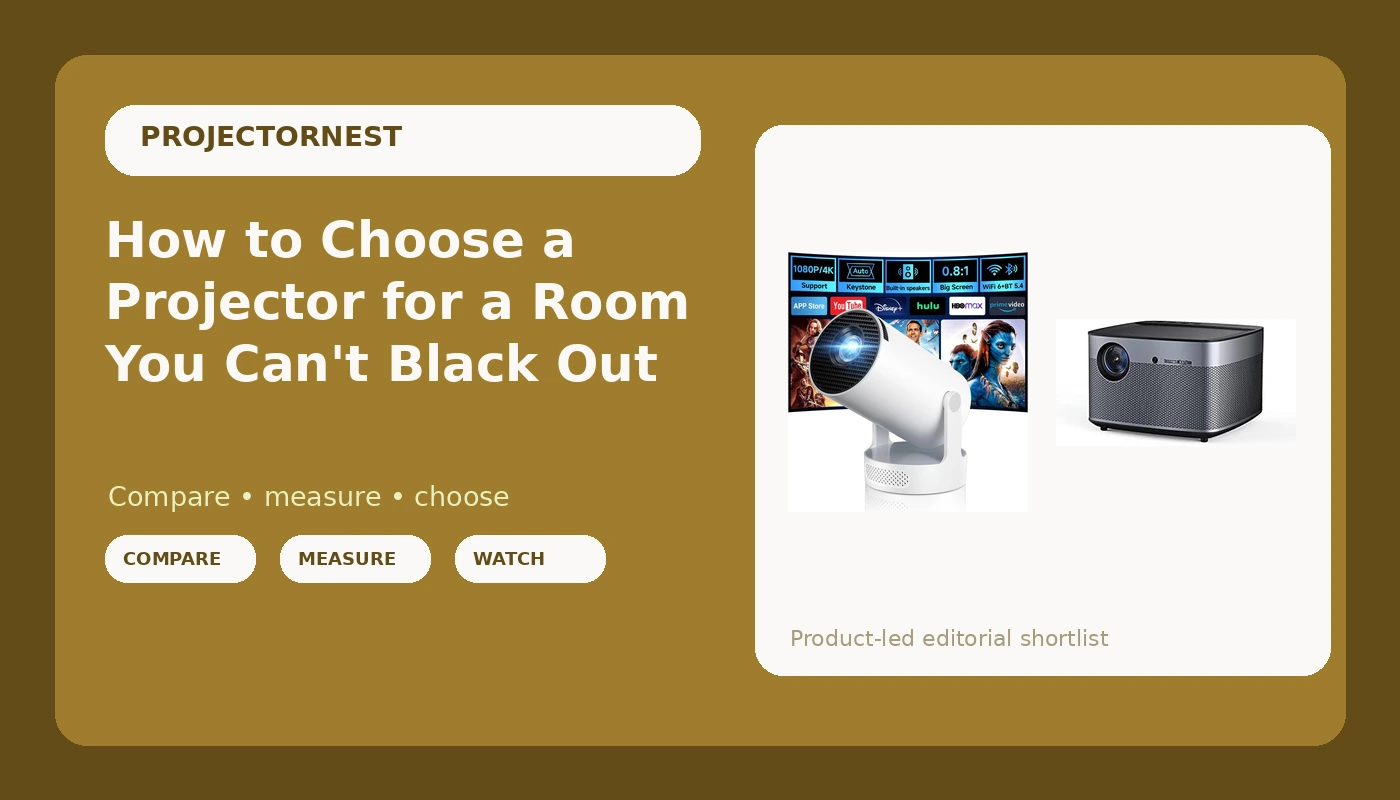
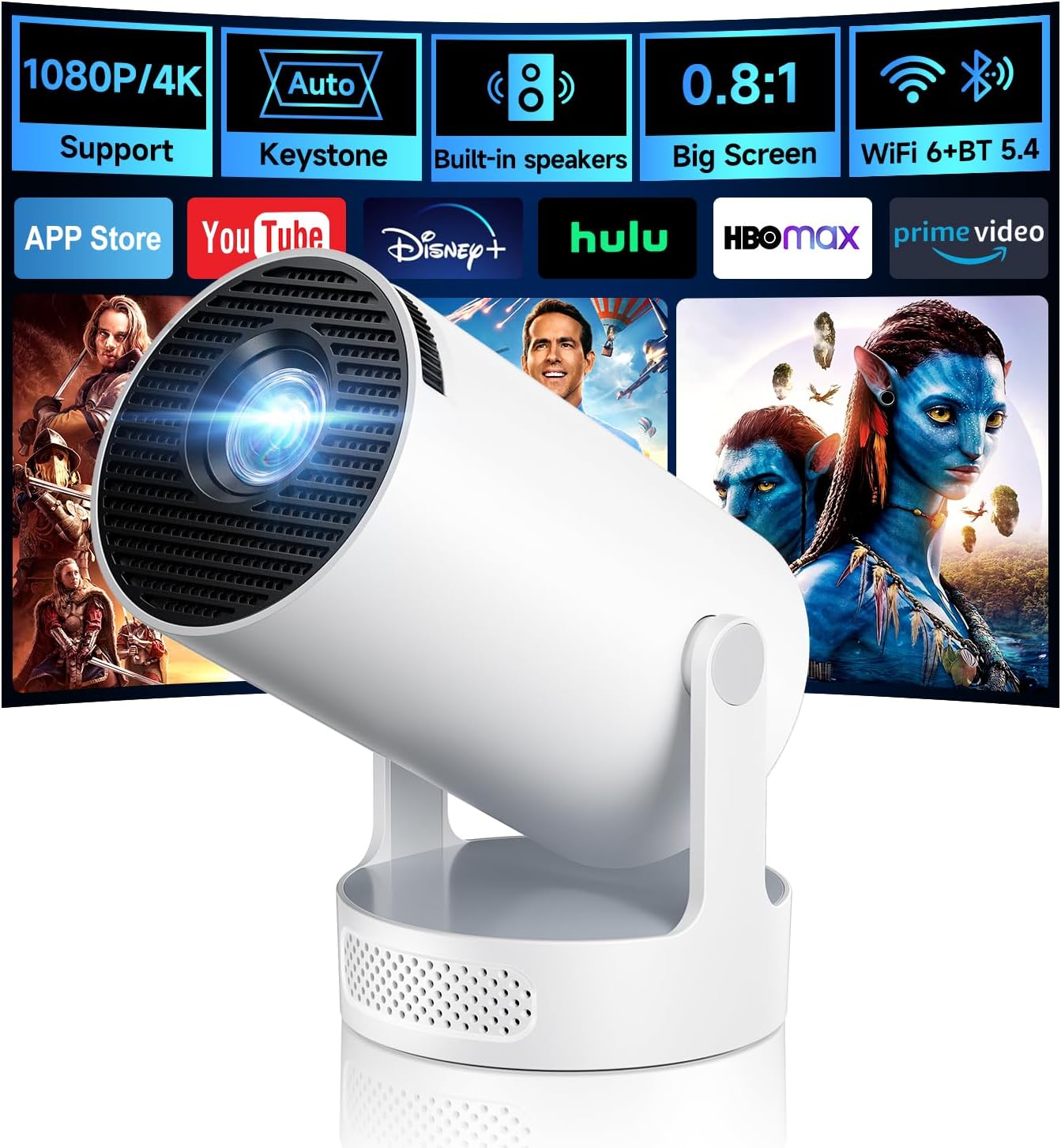
Budget pick: Mini Projector with WiFi 6 and BT 5.4, Built-in Apps 2026 Upgraded
 Visit on Amazon →
This is the projector I point people toward when the room is a bedroom, a dorm, a kid's room, or a spare room where the blinds actually work. The name tells you what matters here: WiFi 6, Bluetooth 5.4, and apps built in. That means no streaming stick dangling off the back and no second remote to lose under the couch. For a first projector, that removes two of the three things that usually go wrong on setup night.
Who it is for: someone who wants a picture on the wall tonight, at a modest screen size, in a room they can darken. The built-in apps handle streaming without extra hardware, and Bluetooth gives you a path to a speaker or headphones if the built-in audio is not enough.
What it is not for: a living room with lamps on and blinds open at 3 pm. Nothing in this class survives that, and the product name does not promise it. Also plan around heat. Small projectors run warm and the fan spins up, so put it on a shelf behind the couch rather than on the end table next to your ear.
Flaws but not dealbreakers: The compact body means modest output and audible fan noise at full power. Expect a bedroom or den experience, not a theater.
Upgrade pick: XGIMI Horizon Pro 4K Projector, 1500 ISO Lumens, Android TV 10.0 Movie Projector with Integrated Harman Kardon Speakers, Auto Keystone Screen Adaption Home Theater Projector
 Visit on Amazon →
This is the lifestyle projector, and I mean that as a compliment. Android TV 10.0 is built in, the Harman Kardon speakers are integrated, and auto keystone screen adaption handles the setup chores that scare people away from projectors in the first place. One box, one power cable, one remote, and you are watching.
The name lists 1500 ISO lumens. Pay attention to the yardstick: ISO lumens and ANSI lumens are not the same measurement, so treat that figure as the maker's claim rather than a number verified in your room. The practical question is still the same one I ask about every projector. How much light is on the screen while you watch? With curtains closed and lamps off, this class of projector looks excellent. With a wall of windows and no blinds, no projector at any price looks good.
Who it is for: an apartment or living room where you want a big image without a dedicated theater, and where the built-in sound means you can skip a soundbar for the first year. The auto keystone is genuinely useful if the projector lives on a shelf and gets bumped.
Flaws but not dealbreakers: Auto keystone is a digital correction, so lean on it as a final nudge, not a substitute for squaring the projector to the screen. Get it physically straight first and the picture stays sharper.
The setup workflow, step by step
Step one: Pick screen size from your seat. Measure the distance from your couch to the wall, then choose a screen that fits it. A 100-inch image from 10 feet is comfortable. A 150-inch image from the same seat is a tennis match.
Step two: Decide where the projector lives. A ceiling mount keeps it out of the way and locks the geometry. A shelf behind the seating is easier to install and easier to reach. Either way, it needs to be solid, because a projector that wobbles when the HVAC kicks on will never hold a square image.
Step three: Do the throw math before you buy anything. Divide your planned distance by the image width you want. If that number is smaller than the projector's throw ratio, the projector cannot make the image from that spot. This is the single most common reason people return a projector.
Step four: Fix the light. Curtains, blinds, dark paint behind the screen, and a gray screen if the room stays bright. This step buys more contrast than any projector upgrade at twice the price.
Step five: Mount it level and square. Aim for the lens roughly centered on the screen, both horizontally and vertically. Every degree of angle you remove here is a degree of digital correction you do not have to apply later.
Step six: Adjust in the right order. Zoom to fill the screen, then focus, then keystone. Doing keystone first means you will redo the other two.
Step seven: Set the picture mode once. Switch to the Movie or Cinema preset, set color temperature to Warm, set gamma around 2.2 for a room with some light and 2.4 for a dark room, and turn off every motion smoothing feature. Then leave the settings alone.
Step eight: Test with real content. Watch ten minutes of something dark and ten minutes of something bright. A test pattern tells you the geometry is right. A movie tells you whether you want to keep the projector.
Where the money goes, in order
Spend in this sequence: light control, screen, mount, then projector. A cheap projector in a controlled room beats an expensive projector in a bright one, and the difference compounds every night you watch. If your budget is tight, buy the budget pick, buy the curtains, and put the savings toward a screen.
On a five-year view, the boring purchases win. Curtains do not need replacing. A decent screen outlives two projectors. A mount you trust keeps the image square for years. The projector is the part that gets replaced when the next generation of chips shows up.
The mistakes I see most
- Buying resolution before brightness. A 4K label on a dim projector still looks dim.
- Trusting "4K UHD" without checking the actual chip. Pixel shifting is a real and legitimate technique, but a 1080p chip with a 4K badge is not the same thing.
- Maxing out digital keystone to fix a lazy install, then wondering why the picture looks soft.
- Mounting to a shelf that flexes, then adjusting the image every week.
- Sitting too close to a big screen and blaming the projector for the pixel grid.
- Buying for the showroom and watching in a living room.
The short version
Measure your room, measure your seat, control your light, then shop. If you want a first projector for a dark bedroom and you want apps and Bluetooth without extra hardware, the mini projector is the sensible starting point. If you want one box that replaces the TV in a living room you can darken, the XGIMI Horizon Pro is the one I would point you toward.
That is the whole method. The room does the heavy lifting. The projector just has to keep up.