Related: Projector Throw Ratio, Explained Without the Math
I have hung more home theater projector setups than I can count. Basement specials that cost less than a decent soundbar, and laser rigs that cost more than my truck. Fifteen years of it, and the same thing decides whether a room feels like a cinema or a fog bank: light control first, brightness second, and everything else a distant third.
Brightness is the only spec that matters if you cannot control the room. Everything else is negotiable. A $5,000 projector in a bright room loses to a $1,000 projector in a dark room, every single time. So before you open a single product page, decide what your room actually is. A blacked-out theater with a fixed screen, or a living room with windows, a white ceiling, and somebody in the house who wants the curtains open.
That fork in the road is why this guide is built around rooms instead of spec sheets. I keep watching people buy for the spec sheet and then blame the projector for the room. The projector was fine. The room was not.
Three definitions, because the marketing depends on you not knowing them. ANSI lumens are the industry-standard brightness measurement. If a brand quotes "lumens" or "LED lumens" or "light source brightness" without the word ANSI in front of it, assume the worst. Throw ratio tells you how far the projector must sit from the screen: 1.2 means 1.2 feet of distance for every foot of image. Lamp hours are the rated life of the bulb, and 4,000 hours is short. Laser and LED do not have that problem.
Here are the four things I would actually put in a house, in the order I would buy them.
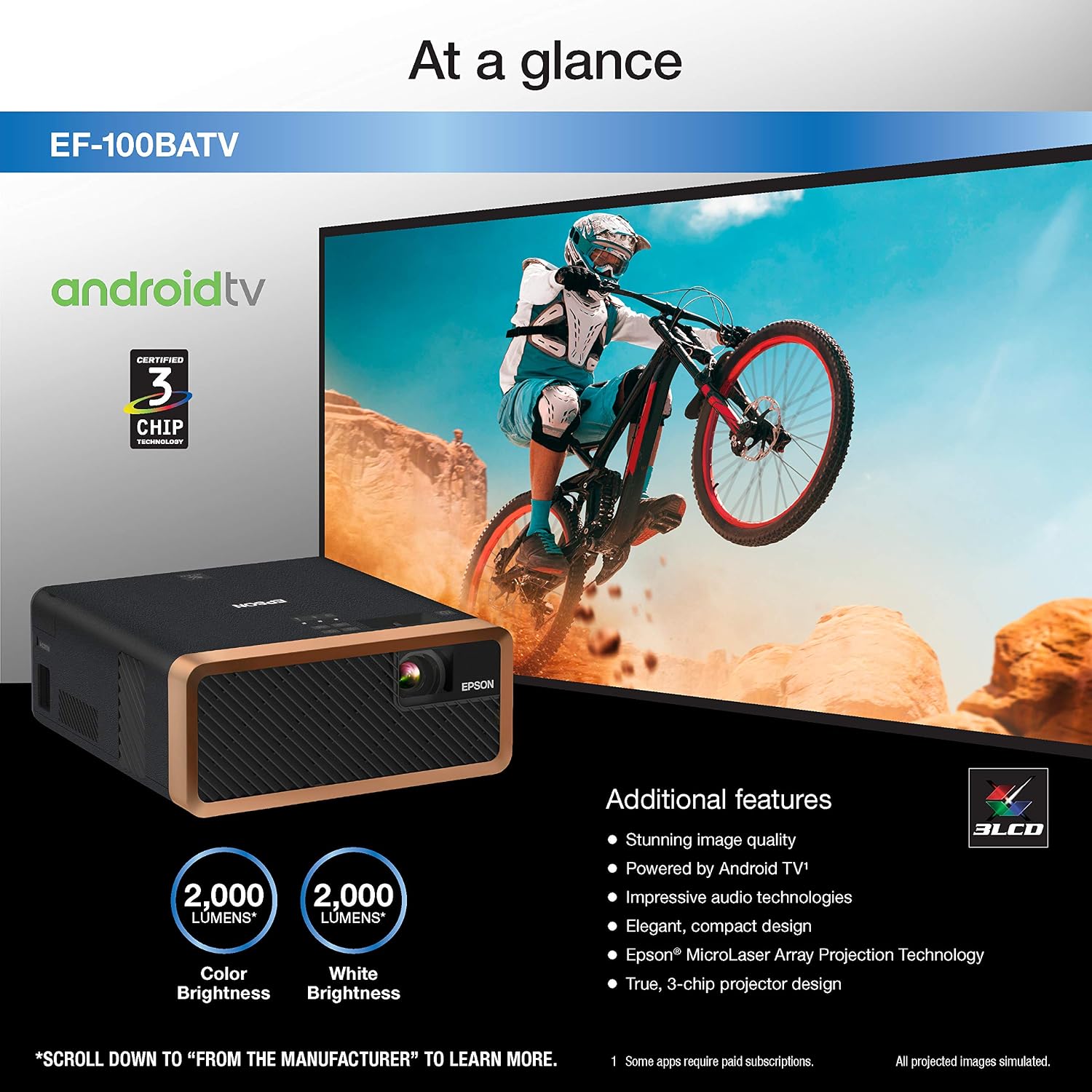
Best Overall for Most Homes: Epson EF-100 Smart Streaming Laser Projector
Most people do not own a theater. They own a living room that has to do six jobs at once, and this is the projector I point them at. It uses a laser light source with Android TV built in, which means two things that matter more than any number on the box: there is no lamp to replace, and there is no streaming stick dangling off the back of the chassis. Check current Amazon price.
Two things sell it for me. First, laser. Lamp hours stop being a number you track, and the image does not fade the way a bulb does over the first year. Second, Android TV on board. One remote, one power cable, done. In a living room, cable count is the enemy, and every cable you eliminate is one fewer thing to explain to whoever else lives there.
The catch is placement and light. This is not the projector you point at a white wall with the blinds up at two in the afternoon. Give it a shade, a curtain, or simply an evening, and it does the thing. It also does not have the big glass and the long zoom range of an installation projector, so plan on putting it where it wants to sit instead of fighting it with a lens you do not have.
Who it is for: somebody who wants a 100-inch picture in a room that is also a living room, and who is not going to hang a screen and run conduit through a ceiling. Set it on a shelf, point it, watch movies. That is the entire install, and there is real value in an install that takes ten minutes.
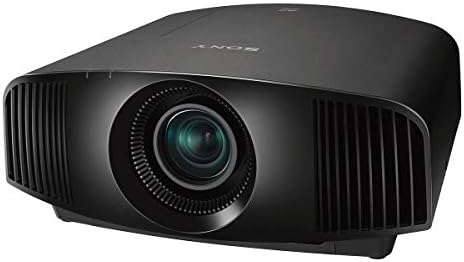
Best for a Dedicated Dark Room: Sony VW325ES 4K HDR Home Theater Projector
If you have a room you can actually make dark, this is the other end of the scale. The Sony VW325ES is a 4K HDR home theater projector, built for a fixed screen in a room with dark walls, a dark ceiling, and no window doing damage. Check current Amazon price.
This is the one that makes you rewatch movies you have seen ten times. Contrast in a controlled room is where the money goes, and a real home theater projector in a blacked-out space is a different experience from a bright portable in a living room. Shadows hold detail instead of collapsing into gray mush, and that is the difference between watching a movie and watching a projection of a movie.
The tradeoff is everything around it. A projector in this class wants a proper mount, a real screen, light control, and ideally a calibration with a meter rather than a test pattern and a guess. It is not a take-it-out-of-the-box-and-point-it-at-the-wall product. If you are not ready to do the room, do not buy this projector. Buy the Epson or the Google TV unit and put the difference into blackout curtains and a screen. I mean that.
Who it is for: somebody building an actual theater, or somebody who already has one and is upgrading the projector last, which is the correct order.
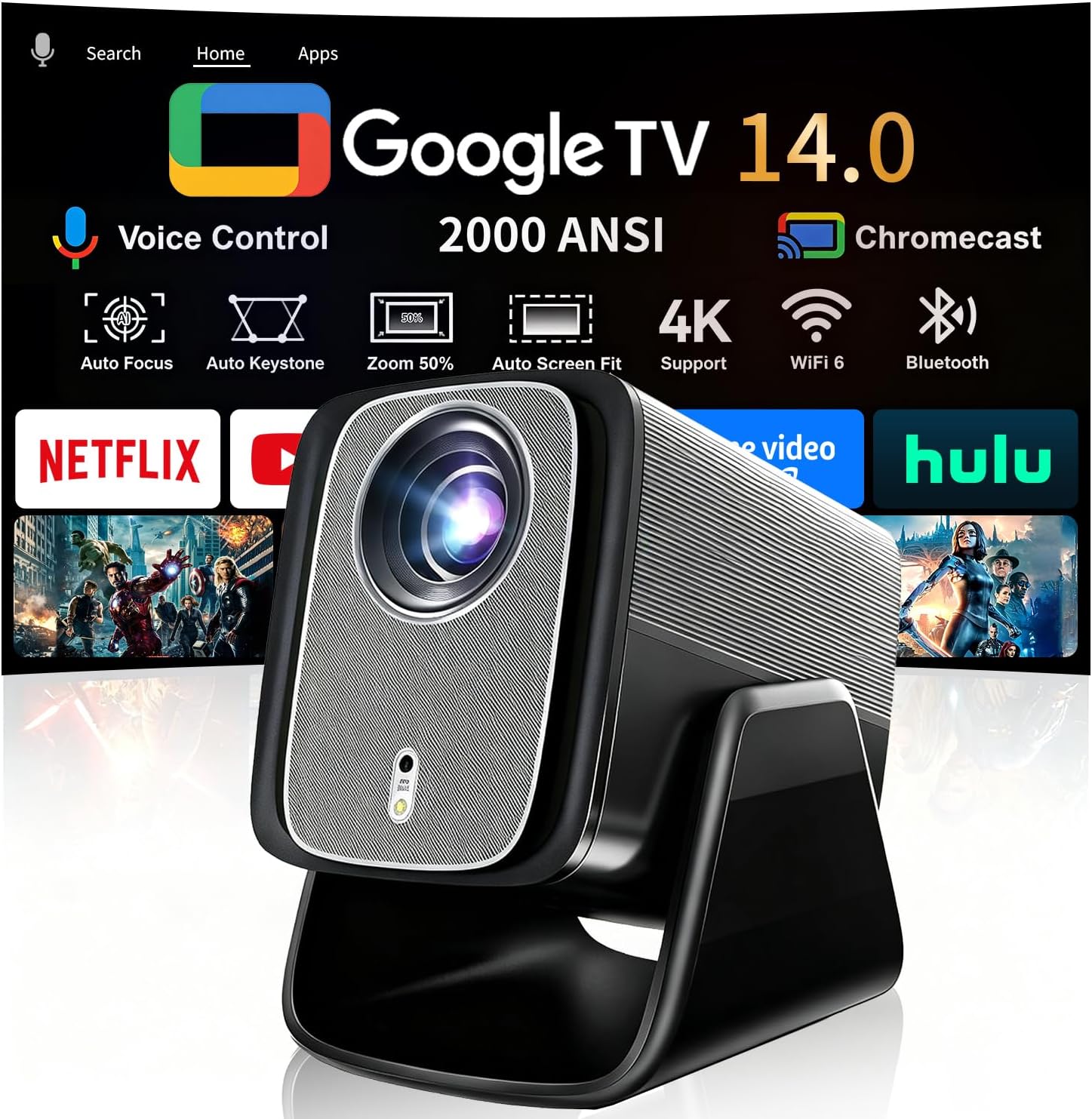
Best All-in-One Pick for Flexible Rooms: Google TV-Licensed Smart Projector X5 Pro
The spec list here is long: 2000 ANSI lumens, native 1080p, 4K and 8K input support, dual 36W Dolby audio, auto focus, 125% sRGB, HDR10, a 90 degree stand, and up to a 200-inch display. Unusually for this category, the features I care about are the boring ones. Check current Amazon price.
Auto focus is not a gimmick. It is the difference between a projector you move around the house and a projector that lives in one spot because you cannot be bothered to dial it in again. The 90 degree stand matters for the same reason. Point it at a wall, point it at the ceiling, move it to the guest room, and it still finds focus. Any projector that needs a ladder to adjust the image gets on my nerves, and this one is designed so you never touch a ladder.
The native resolution is 1080p with 4K and 8K input support, which is honest labeling. A lot of cheap projectors slap "4K UHD" on a 1080p chip and hope you do not notice. This one tells you what the panel is and what it will accept, and I would rather have that than a marketing number. Built-in Google TV and Bluetooth audio mean the streaming apps and the sound are handled by the projector itself, which is the whole point of a lifestyle unit.
Who it is for: renters, bedrooms, guest rooms, patios, and anybody who wants a big picture tonight without owning a drill.
How I judge a projector
I do not start with the picture. I start with the room the projector is going into, because that decides which specs even matter. Then I run the same four questions every time.
What is the real brightness, in ANSI lumens, and what does that mean in this specific room? Does the lens zoom and shift enough to make a real install possible, or is placement going to be a fight? How loud is the fan at full power, because fan noise that drowns the movie is a dealbreaker no spec sheet warns you about? And the last one: would I sit through a full two-hour movie on this thing in my own basement without reaching for the remote to fiddle with it?
That fourth question is the one that separates a good projector from a good spec sheet. I have calibrated plenty of projectors that measured fine and were miserable to live with. If I am checking the menu instead of watching the movie, the projector failed.
Analysis and what actually matters
Brightness claims are where most buyers get burned. ANSI lumens are measured; everything else is a promise. If a brand will not say ANSI, assume the worst number you can imagine and then subtract.
Contrast ratio marketing numbers are fiction. Real contrast is measured with your eyes in your room, after the lights are set the way they will actually be set on a Tuesday night. A projector with a modest contrast figure in a black room will beat a projector with a spectacular figure next to a window. That is not an opinion, it is physics, and it is the single most expensive lesson in this hobby.
4K is meaningless on a cheap DLP that cannot resolve it. Pixel shifting is fine, it genuinely works, and I will defend it all day. What I will not defend is a projector advertising 4K that is feeding you a 1080p chip with a marketing sticker. Read what the panel is. Then decide if the price makes sense for what the panel is.
The other thing that matters more than anybody admits: placement flexibility. A projector with a good zoom and lens shift can go almost anywhere in a room. A projector without them has to go exactly where the geometry says, and if that spot is over the couch, in front of a doorway, or on the ceiling where the joists are wrong, you have a problem no spec sheet will mention.
The projector reference table
This is the table I keep for clients when they are picking between these four pieces. The mount is in here on purpose, because it is a real part of the budget and the one people forget.
| Product | What it is | Best room | Mounting reality | Price |
|---|---|---|---|---|
 Visit on Amazon → Epson EF-100 Smart Streaming Laser Projector |
Laser light source with Android TV built in | Living room or multipurpose room | Sits on a shelf, no mount required | Check current Amazon price |
 Visit on Amazon → Sony VW325ES 4K HDR Home Theater Projector |
True 4K HDR home theater projector | Dedicated, light-controlled theater | Wants a real ceiling mount and a fixed screen | $5,198.88 |
 Visit on Amazon → Google TV-Licensed Smart Projector X5 Pro |
2000 ANSI, native 1080p, auto focus, built-in Google TV | Flexible room, bedroom, or patio | Built-in stand makes a mount optional | $334.90 |
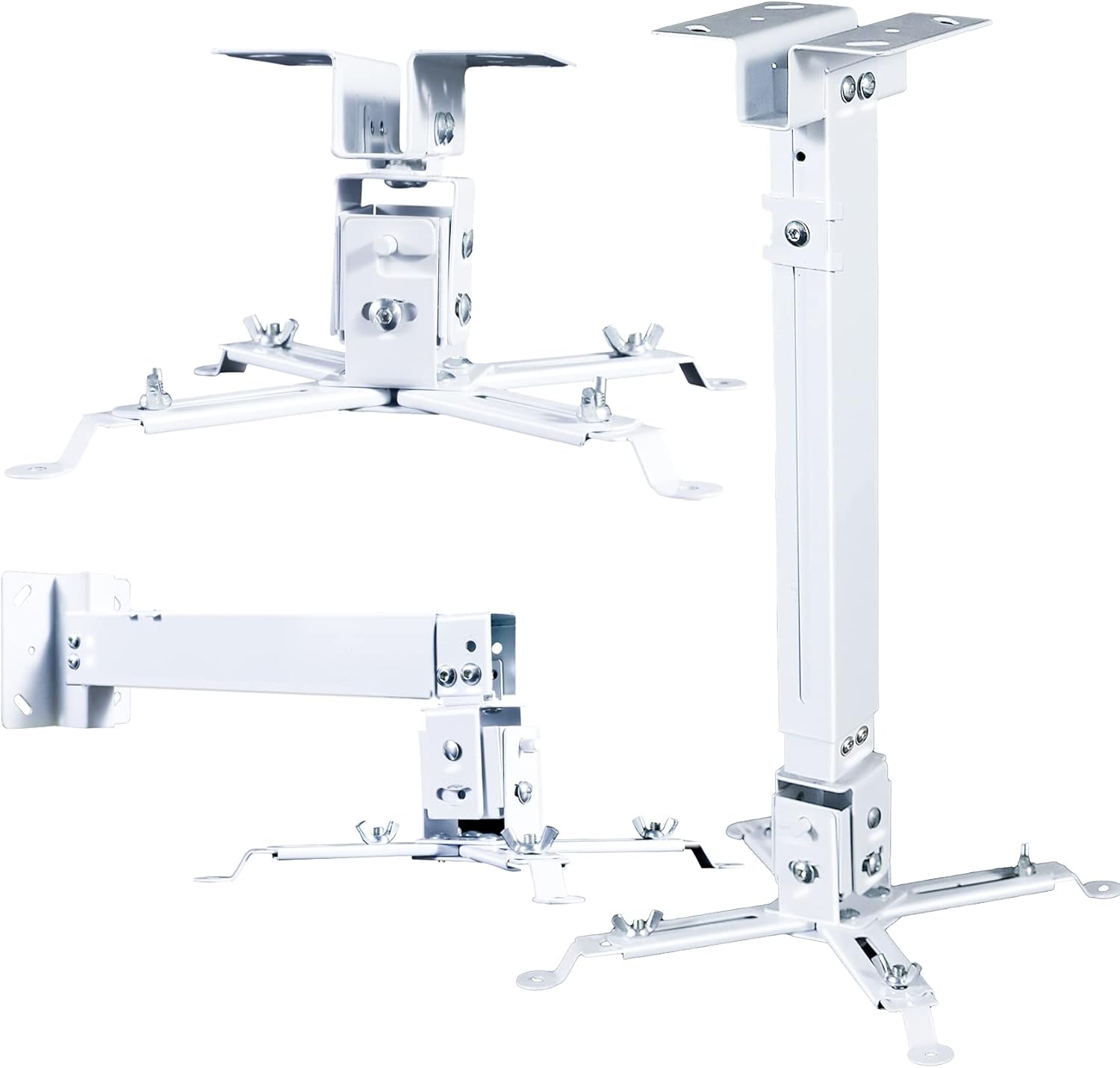 Visit on Amazon → Low Profile Universal Projector Ceiling or Wall Mount |
Bracket kit with extendable arm and adjustable height pole | Any ceiling install | The part that decides whether your image is square | $23.99 |
Read it the way I do. Pick the room first. Then pick the projector. Then pick the mount. Most people do it in the opposite order and end up with a projector that cannot sit where the room needs it.
The part nobody budgets for: the mount
The mount is the least exciting purchase in this entire article and the one that decides whether you are happy. A low profile universal projector holder with an extendable arm and an adjustable height pole is what lets you drop the projector below a ceiling fan, clear a soffit, or hit the right spot on the screen without moving the screen.
The quick release matters more than it sounds. Once a year you will want to pull the projector down to clean a filter, swap a cable, or check a port. With a quick release, that is a two-minute job. Without one, it is a project, and it is the reason a lot of projectors never get their filters cleaned.
Check that the mount lists your brand before you buy. This one is built to work with the common Epson, Optoma, and BenQ chassis, which covers most of what people actually install. Check current Amazon price.
Two install notes from somebody who has made both mistakes. Get the mount into a stud or into a proper ceiling anchor, because drywall alone does not hold a projector. And set the projector roughly where you want it before you tighten anything down, because an adjustable arm that is fully locked is an adjustable arm you have to redo.
Should you buy the Epson EF-100 Smart Streaming Laser Projector?
Yes, if your room is a living room instead of a theater. Laser means no lamp to replace, Android TV means no streaming stick, and the whole install is a shelf and a power outlet. Give it a little light control and it earns its place. It is the one I recommend to people who are not going to build a theater, and it does not pretend to be something it is not.
Should you buy the Sony VW325ES 4K HDR Home Theater Projector?
Yes, if you have a room you can actually make dark. It is a true 4K HDR home theater projector built for a fixed screen and dark walls, and in the right room it is the one that makes you rewatch movies you have already seen ten times. In a bright room it is a waste of money, and so is everything else. Fix the room first.
Should you buy the Google TV-Licensed Smart Projector X5 Pro?
Yes, if you want one box that does everything and you are willing to trade a dedicated theater for flexibility. Native 1080p with 4K and 8K input support, 2000 ANSI lumens, auto focus, HDR10, and a 90 degree stand that lets you aim it at a wall or a ceiling without owning a drill. Auto focus and that stand are the two features you will use every single week.
Do you need the ceiling mount?
Yes, if the projector is going above your head. A low profile universal mount with an extendable arm and an adjustable pole is the cheapest piece of the install and the one people forget, then they wonder why the picture is tilted. Buy it with the projector, not three weeks later after you have already tried to balance it on a shelf.