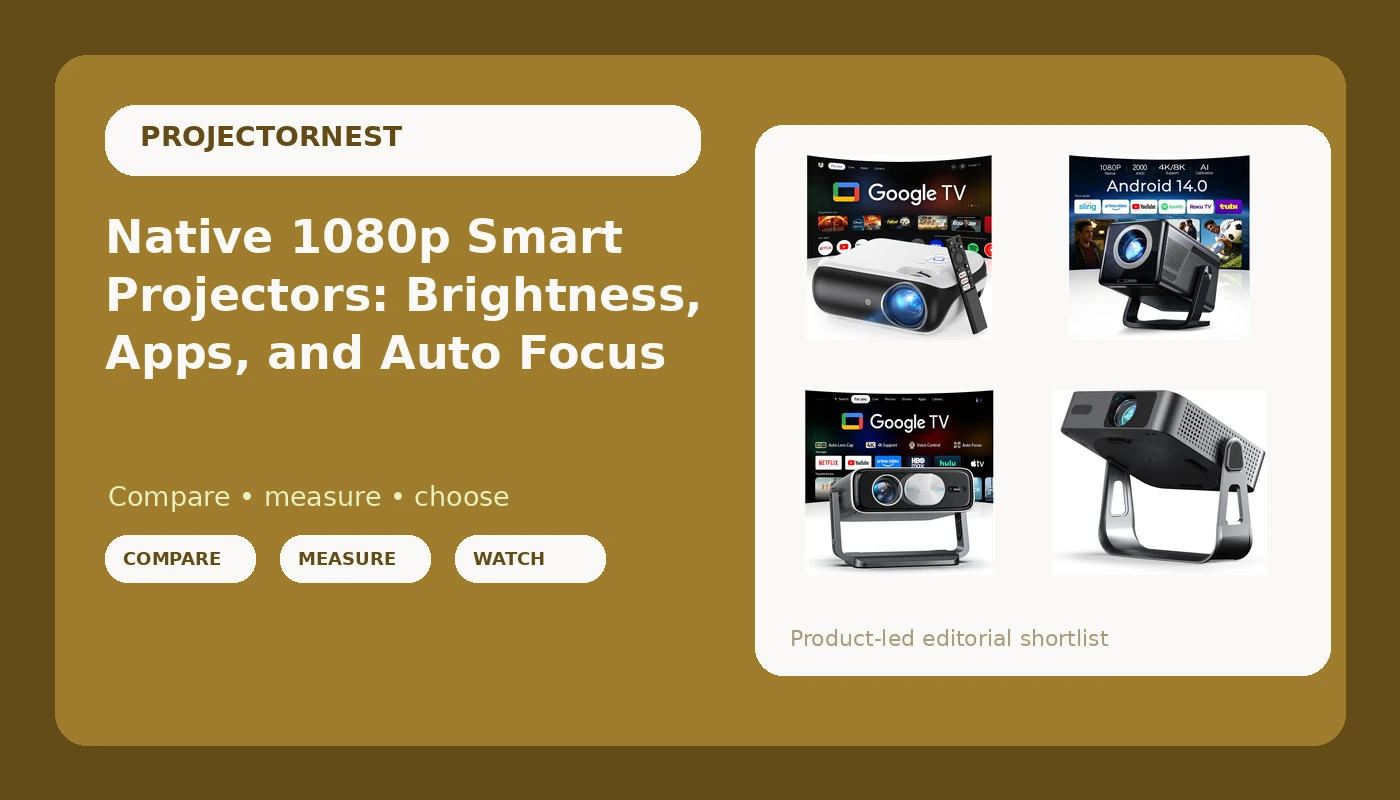
Most people shopping for native 1080p smart projectors are trying to answer a question they rarely say out loud: will this look like a movie theater in my living room, or like a gray rectangle losing a fight with the afternoon sun? The answer almost never comes down to the logo on the box. It comes down to how much light you can actually remove from the room, how far the projector has to sit from the screen, and whether the brightness figure in the listing is a real ANSI measurement or a number somebody typed into a title. The installer's rule is blunt: a modest projector in a dark room beats a bright projector fighting a window. These four listings sit in a similar range and make very different promises, so the useful work is matching the promise to your room.
Related: How to Read ANSI Lumens Without Getting Fooled →
Quick answer
If your room has windows you cannot black out, start with one of the two listings that name an ANSI brightness figure: the 2000 ANSI model or the 3000ANSI model. If you mostly watch after dark and want the streaming interface handled for you, the projector with officially licensed Google TV and the model bundled with a Google TV stick are the simpler picks. There is no single right answer here, because brightness, throw distance, and where the apps live matter more than any one specification, and one of these four listings tells you far less about itself than the other three.
Four useful options
| Model | Best fit | What stands out |
|---|---|---|
| Official Licensed Google TV - HAPPRUN Native 1080P Bluetooth Projector | Bedrooms and light-controlled living rooms | Licensed Google TV platform built in, native 1080p, Bluetooth audio out |
| [2000 ANSI Daylight Visible] Native 1080P Smart Video Projector 4K 8K Input, Android 14 Projecteur Portatif with HiFi Sound, Auto Focus & Keystone, WiFi Bluetooth Home Theater for iPhone/Netflix X7 | Living rooms with some ambient light | A 2000 ANSI figure named in the listing, Android 14, auto focus and keystone |
| Smart 4K Projector [Bundled with Google TV Stick] with WiFi and Bluetooth, 3000ANSI, Auto Lens Cap, Portable Outdoor Movie Projector with Built-in Apps Auto Focus for Ceiling/Home Theater/Bedroom | Outdoor movie nights and portable setups | A 3000ANSI figure named in the listing, Google TV stick included, auto lens cap |
| Officially-Licensed App & Auto Focus | First projector and secondary rooms | Officially licensed apps and auto focus, the leanest listing of the four |
Built-in licensed Google TV: Official Licensed Google TV - HAPPRUN Native 1080P Bluetooth Projector
The trade-off is straightforward. Native 1080p means 4K content gets scaled down, which is a real compromise on a 120-inch screen and a complete non-issue on a 70-inch image in a bedroom. The listing name also does not state an ANSI brightness figure, so brightness is the open question here, and the honest move is to open the listing and look for one before you commit. If you find an ANSI number you can live with and you want the streaming interface to be the projector's own, this is the cleanest install of the group: no stick to power, no second remote to lose behind a cushion.
The daylight brightness claim: [2000 ANSI Daylight Visible] Native 1080P Smart Video Projector 4K 8K Input, Android 14 Projecteur Portatif with HiFi Sound, Auto Focus & Keystone, WiFi Bluetooth Home Theater for iPhone/Netflix X7
Read the input wording carefully, because it is where most people get confused. "4K 8K Input" describes what the projector will accept over HDMI, not what it resolves on screen. Accepting a 4K signal is genuinely useful, since it means your streaming box or console can hand over its native signal without you forcing a lower output mode, but the image itself is native 1080p. Auto focus and auto keystone also deserve a reality check: they are convenience features that get you close in seconds, and a proper ceiling or shelf mount with the geometry dialed in manually still produces a cleaner rectangle. The ANSI figure in the title is the real headline here.
The bundled stick and outdoor pick: Smart 4K Projector [Bundled with Google TV Stick] with WiFi and Bluetooth, 3000ANSI, Auto Lens Cap, Portable Outdoor Movie Projector with Built-in Apps Auto Focus for Ceiling/Home Theater/Bedroom
Two things need checking before you buy this one. First, the title calls it a smart 4K projector, and "4K" in a product title can mean several different things: it can mean the projector accepts 4K input, it can mean pixel shifting, or it can mean a genuine 4K panel. Pixel shifting is a legitimate technique and it works, but you want to know which one you are buying, so read the resolution line in the spec table rather than the headline. Second, the bundled stick approach means the streaming hardware is separate from the projector, which is an advantage: when the stick's software support eventually runs out, you swap a cheap stick instead of replacing a projector.
The entry point: Officially-Licensed App & Auto Focus
Here is the honest read: this is the one listing of the four that does not tell you its brightness or resolution in the name, so it is the one where you most need to open the page and look. That is not a criticism of the projector, it is a statement about the listing. Licensed apps and auto focus are real quality-of-life features, and a projector that does those two things well is genuinely pleasant for a bedroom or a spare room. Just confirm the brightness and resolution lines before you decide it fits your space, because those two numbers decide whether you are watching a movie or a washed-out suggestion of one.
Prices and availability may change. Product images, names, and retailer links are matched to verified listings. No current price, rating, stock status, or measured result is stated here without current evidence.
What ANSI lumens actually tell you
Brightness is the specification that decides whether you enjoy the projector or resent it, and it is also the specification most likely to be written dishonestly. ANSI lumens is a standardized measurement taken from a specific test procedure, which is why it is comparable between brands. The word "lumens" on its own, or "brightness," or a number with no unit attached, is marketing copy, and it is not comparable to anything. If a brand will not put ANSI in front of the number, assume the real figure is lower than the one on the box.
There is a second layer most shoppers miss: rated brightness is usually measured in the projector's brightest mode, which tends to have a green or blue cast. The mode that looks good, often called cinema or movie mode, typically runs dimmer. That is normal across every projector at every price. It is also why room control beats hardware upgrades. Blackout curtains, a darker wall behind the screen, and a rug that kills reflected light cost a fraction of what it costs to climb a brightness tier, and they improve contrast at the same time. If you can make the room dark, you need less brightness than you think.
Built-in Google TV versus a bundled streaming stick
Both approaches get you apps on the screen, and the difference only shows up over time. A projector with an officially licensed platform built in gives you one remote, one power cable, and one device to manage. The risk is that the platform is tied to the projector, so when the software stops receiving updates, you are plugging a stick into the back anyway.
A bundled Google TV stick flips that. You get the same interface, and you also get a separate piece of hardware that can be replaced or moved to another display. The projector keeps working as a projector even after the stick is obsolete. The trade-off is an extra remote and an extra thing to power, which is minor until you are the one crawling behind the couch with a USB cable.
The third consideration is audio, and it is the one people forget until the first movie night. Built-in speakers on any compact projector are a compromise, so plan a Bluetooth soundbar or an external speaker from the start. All four listings here either name Bluetooth or name a licensed platform that supports it, which gives you a path out of the built-in audio.
- Measure the room and note how much light you can genuinely remove at 8 p.m. in July, not at noon in January.
- Measure the distance from where the projector will sit to the screen, then check the throw ratio before you buy a screen size you cannot fill.
- Decide where the apps should live: built into the projector, or on a stick you can replace later.
- Read the resolution line in the spec table and confirm whether "4K" means input support, pixel shifting, or a native panel.
- Budget for sound and for light control before you budget for a brightness upgrade.
Practical guidance before you order
- Buy the screen or a proper matte white surface before you buy a brighter projector. A good surface costs less and does more.
- Mount the projector rather than setting it on a shelf. Auto keystone is a rescue tool, not a substitute for a level image.
- Kill the light you can. Curtains, blinds, and a dark rug will do more for perceived contrast than one brightness tier.
- Check the fan noise figure and the eco mode behavior, because a projector you can hear during quiet dialogue gets used less.
- Confirm the input count and the resolution of those inputs, especially if a console or a 4K streaming device is part of your plan.
- Plan the audio path early, since a Bluetooth speaker is the difference between a movie night and a laptop experience.
Which option should you choose?
Choose the Official Licensed Google TV - HAPPRUN Native 1080P Bluetooth Projector when you want a licensed platform built in, one remote in your hand, and a native 1080p image for a bedroom or a light-controlled living room. Choose the [2000 ANSI Daylight Visible] Native 1080P Smart Video Projector 4K 8K Input, Android 14 Projecteur Portatif with HiFi Sound, Auto Focus & Keystone, WiFi Bluetooth Home Theater for iPhone/Netflix X7 when your room has some ambient light and you want a named ANSI figure plus automatic setup. Choose the Smart 4K Projector [Bundled with Google TV Stick] with WiFi and Bluetooth, 3000ANSI, Auto Lens Cap, Portable Outdoor Movie Projector with Built-in Apps Auto Focus for Ceiling/Home Theater/Bedroom when you want the highest named brightness figure here, plan to move the projector outdoors, and prefer replaceable streaming hardware. Choose the Officially-Licensed App & Auto Focus when licensed apps and auto focus cover what you need and you are willing to verify the brightness and resolution lines yourself.
One caveat applies to all four. Every specification discussed here comes from the product listings, not from a bench measurement, and listing titles are written to sell. Before you order, open the page, find the ANSI brightness figure and the native resolution line, and confirm both match your room and your expectations. A projector that fits your space beats a projector that wins a spec sheet.
The bottom line
The most useful thing you can do is decide your room before you decide your projector. If you cannot control the light, prioritize the listings that name an ANSI brightness figure, and treat every other brightness claim as decoration. If your room goes dark when you want it to, then the deciding factors shift to convenience: a licensed platform built in, auto focus that works, and a resolution that matches the size of the image you are projecting. None of these four is right for every room, and that is the point. Match the promise in the listing to the reality of your walls, your windows, and your seating distance, and the projector you pick will earn its place on the ceiling.