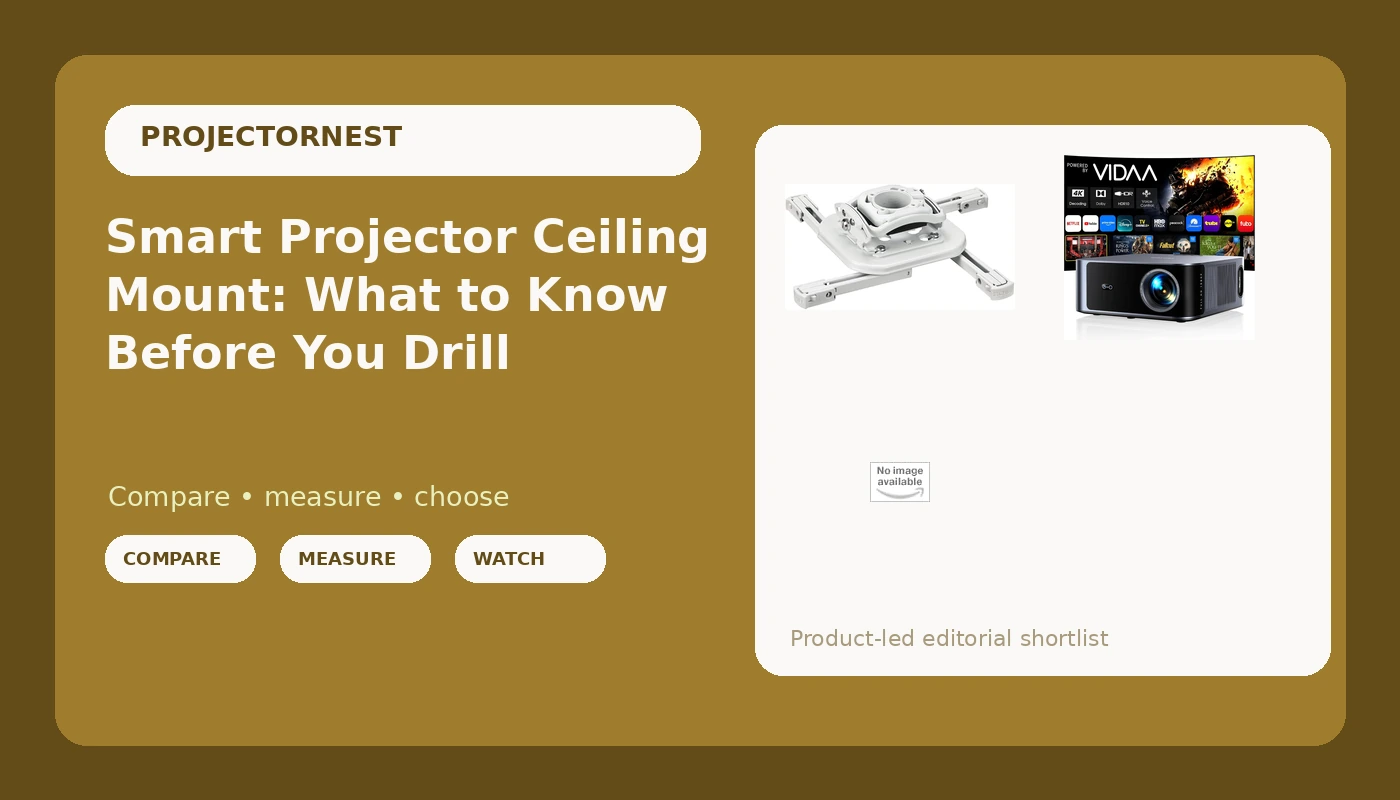
Planning a smart projector ceiling mount is really three decisions stacked on top of each other: which projector, which bracket, and how the room will fight you. Most buying advice collapses those into one, which is how people end up with a projector hanging from a mount that sags, a picture they fix with keystone correction every time the ceiling fan runs, and a wall of gray instead of black. This guide separates the three. The products below are one smart projector and two white ceiling mounts, and each one answers a different part of the question. Order matters here, because the projector sets the constraints and the mount only has to hold the line.
Related: How to Pick a Projector Screen Size for Your Room →
Quick answer
The short answer: the smart projector in this set lists VIDAA live TV, Netflix compatibility, WiFi 6, Bluetooth, auto focus, AI voice control, HDR10, and a 40W Dolby audio system, so it can live on a ceiling without a streaming stick sitting next to it. Both mounts are universal white ceiling mounts. The plain universal mount is the straightforward, lower-cost path for a fixed ceiling install. The Chief RPA Mini Elite is the installer-grade path, built as a locking mount. Which one you want depends on your ceiling and on how much you plan to touch the projector after it is up, not on how much the projector costs.
Three useful options
| Model | Best fit | What stands out |
|---|---|---|
| Outdoor-Projector-4K [VIDAA Live TV/40W Dolby/920 ISO] with WiFi6 and Bluetooth Compatible with Netflix, Smart Projector, AI Voice Control & Auto Focus, HDR10, Movie Proyector for Ceiling Home Theater | A ceiling install that needs apps, voice control, and sound without extra boxes | VIDAA live TV, Netflix compatibility, WiFi 6, auto focus, AI voice control, HDR10, 40W Dolby audio |
| Universal Projector Ceiling Mount - White | A simple fixed ceiling install on a budget | Universal fit, white finish, built as a ceiling mount |
| Chief RSMBUW Rpa Mini Elite Universal Projector Mount Lock B White | Installers and anyone who wants a mount that locks the projector in place | Universal fit, locking design, white finish, RPA Mini Elite series |
The projector: Outdoor-Projector-4K [VIDAA Live TV/40W Dolby/920 ISO] with WiFi6 and Bluetooth Compatible with Netflix, Smart Projector, AI Voice Control & Auto Focus, HDR10, Movie Proyector for Ceiling Home Theater
This is the piece that sets every other number in your install. The name lists 920 ISO lumens, and ISO lumens are a legitimate measurement standard, but they are not the same thing as ANSI lumens, and the difference shows up the moment a lamp or a window is competing with the screen. A ceiling mount also changes how you use the projector: auto focus and voice control stop being conveniences and start being the only way you will adjust anything without a ladder. The listed 40W Dolby audio system matters if you are not running a receiver and speakers. If 4K is the reason you are shopping, confirm the actual display chip before you commit, because plenty of projectors advertise 4K and deliver something less. Room prep still decides more than the spec sheet does.
The value mount: Universal Projector Ceiling Mount - White
Here is the trade-off. A universal mount is the cheapest way to get a projector onto a ceiling, and for a fixed install where the projector never moves, that is often all you need. What you give up is certainty about how fine the adjustment is and how rigidly the arm holds position. If your ceiling is drywall over joists, the bracket is only as good as the hardware you drive into it, so the mount is not the only variable. White matters more than people expect: a black bracket under a white ceiling draws the eye every time you look up, and it is the one part of a projector install nobody wants to look at.
The installer's mount: Chief RSMBUW Rpa Mini Elite Universal Projector Mount Lock B White
The Chief costs several times what a basic universal bracket does, and the honest question is whether you need it. If the projector hangs in a room where people walk under it, where a cleaner dusts around it, or where it might get nudged during a party, a locking mount is not overkill, it is the difference between a five-second fix and a twenty-minute realignment with a test pattern. The RPA Mini Elite line is what installers reach for on jobs where a callback is expensive. For a basement theater where the projector is never touched, that money buys peace of mind rather than a better picture.
Prices and availability may change. Product images, names, and retailer links must be matched by verified ASIN. Do not state a current price, rating, stock status, or measured result without current evidence.
What 920 ISO lumens means in a real room
Brightness is the spec that decides whether you enjoy the projector or tolerate it. The number in this projector's name is 920 ISO lumens. ISO lumens and ANSI lumens are both measurement standards, but they are not interchangeable figures, and brands often quote whichever number reads better on a listing. The practical rule is simple: if a manufacturer will not tell you the standard behind the number, assume the real output is lower than the headline.
What 920 of anything buys you depends entirely on screen size and ambient light. Spread that output across a 100-inch screen in a dark room and you get a watchable, punchy image. Spread it across 150 inches in a living room with west-facing windows and you get a washed-out gray rectangle by late afternoon. This is why room control beats hardware every time: a modest projector in a blacked-out room will beat a bright one fighting the sun, and it is not close.
Three things change the math more than any spec sheet. Screen size, because brightness falls off as image area grows. Screen material, because a matte white screen sprays light around the room while a gray or ambient-light-rejecting screen trades some punch for contrast. And light control, which is free and permanent. Curtains, blinds, and a lamp you can turn off will do more for your picture than another few hundred dollars of projector.
If you cannot control the light at all, treat any low-lumen projector as a night-only device and plan around that. If you can control the light, this projector's listed feature set, auto focus, voice control, built-in streaming, and onboard audio, is the part you will actually notice day to day.
Why the mount changes the picture more than you think
People treat the mount as plumbing. It is not. The mount decides whether your image stays square and whether your projector stays aligned, and both of those affect picture quality directly.
A projector that tilts even slightly needs keystone correction to square the image, and keystone correction works by rescaling the picture digitally. You lose pixels, you soften the edges, and you add processing. The better answer is a mount that holds the projector dead level and lets you aim it properly. That is why installers care about the bracket as much as the projector: a rigid, well-adjusted mount means the image is square out of the lens instead of corrected after the fact.
Ceiling type matters too. Joists give you something solid to bolt into. Concrete needs the right anchors. A drop ceiling needs a support method that does not rely on the tile, because a projector is a hanging load, not a light fixture. And the projector's weight and mounting pattern decide whether a universal bracket fits cleanly or needs adapters.
There is also the question of access. A locking mount lets you set the projector once and forget it. A basic bracket is easier to nudge, which means you will re-level it eventually. Neither is wrong, but know which one you are buying before you drill.
- Measure the room and decide the screen size first, because screen size sets the brightness requirement and the mounting distance.
- Check the projector's throw distance guidance for that screen size, then confirm your ceiling position lands inside it.
- Locate the joists or the structural anchor points before you buy hardware, and plan the bracket position around them.
- Run power and signal to the ceiling location, with a plan for hiding the cables, before the projector goes up.
- Hang the mount, attach the projector, level it, focus it, and lock or tighten everything down before the first movie.
Practical guidance before you drill
- Put a power outlet or a clean cable path at the ceiling location, because an extension cord draped down a wall undoes a nice install.
- Keep the projector out of the path of heating and cooling vents, since airflow around a projector affects both noise and lamp life.
- Plan the screen wall first, then position the projector, not the other way around.
- Leave a little service room around the mount so you can reach the projector without disassembling anything.
- Check the return policy before you drill, because a mount that does not fit your projector is much easier to return unopened.
Which option should you choose?
Choose the Outdoor-Projector-4K [VIDAA Live TV/40W Dolby/920 ISO] with WiFi6 and Bluetooth Compatible with Netflix, Smart Projector, AI Voice Control & Auto Focus, HDR10, Movie Proyector for Ceiling Home Theater when you want one ceiling-mounted unit that handles streaming, voice control, and sound without a shelf of extra boxes. Choose the Universal Projector Ceiling Mount - White when you want a simple, low-cost bracket for a fixed install that nobody will touch. Choose the Chief RSMBUW Rpa Mini Elite Universal Projector Mount Lock B White when the projector hangs somewhere it could be bumped and you want it to stay exactly where you aimed it.
One caveat on all three: the details above come from the product names and listings, not from measured testing. Brightness, resolution, and mount rigidity should be confirmed against the manufacturer's current documentation and the retailer's return window before you commit to a ceiling install.
The bottom line
A projector on a ceiling is a system, not a purchase. The smart projector in this set brings its own streaming, voice control, and audio, which is exactly what you want from something mounted overhead and out of reach. The mount is the part that decides whether that convenience survives contact with real life. Spend on the bracket if the projector lives where people walk, and spend on light control no matter what, because a dark room makes every projector in this set look better than a bright room makes any of them look.